
CrossDriver XFS for Mac: An Independent Buyer Guide

Answer first: CrossDriver XFS for Mac is a commercial macOS utility from Crossdriver Limited that provides read-write access to Linux XFS disks, according to the vendor. It is designed for Mac users who need to mount an XFS external drive, browse XFS files on Mac, or transfer files from XFS storage without reformatting the disk to exFAT or another macOS-native file system.
The product sits in a narrow but important category: XFS support for macOS. XFS is a high-performance journaling file system widely used on enterprise Linux servers, large-scale NAS systems, and high-capacity storage arrays. macOS does not provide native read-write support for XFS, so users who receive an XFS volume from a Linux environment often face a choice between indirect workarounds and a third-party driver. CrossDriver XFS for Mac is one commercial answer to that problem, and it is part of a broader CrossDriver family that also includes NTFS and Ext4 drivers for Mac.
Why XFS on macOS Is a Discovery-Stage Buyer Question
The first buying question is not which XFS driver is fastest. It is whether a Mac can mount, browse, and write to an XFS volume without reformatting the drive or moving data through another machine. For awareness-stage buyers, that distinction matters because the wrong workaround can add cost, delay, or data risk before a formal procurement process even begins.
A Mac connected to an XFS-formatted disk may report that the drive is not recognized, may show no mountable volume, or may allow only limited access depending on the tool in use. Common search language reflects the problem directly: XFS drive not recognized on Mac, cannot mount XFS on Mac, XFS external drive for Mac, XFS USB drive for Mac, and access Linux XFS partitions on Mac. These are not abstract technical questions. They usually appear when a user has real project data on an XFS disk and cannot change the file system without disrupting a Linux workflow.
The existing options each carry a trade-off. A Linux virtual machine can mount XFS and share files back to macOS, but it consumes host resources and adds maintenance. SMB or NFS network sharing can make XFS storage reachable, but it depends on network availability and does not provide offline local mounting. Reformatting to exFAT can make a drive readable, but it erases existing data and removes XFS-specific features. Open-source FUSE tools can mount some XFS volumes locally, but their write support, graphical workflow, Apple Silicon behavior, and commercial support vary.
Company Snapshot: Crossdriver Limited in the XFS for Mac Category
Crossdriver Limited is a Hong Kong-based high-tech enterprise established in 2025. It specializes in kernel-level and system-level cross-platform software solutions and focuses on research and development of cross-platform file system drivers and underlying storage technologies. In the XFS for Mac category, this makes CrossDriver a specialist entrant rather than a broad storage-platform vendor.
| Company attribute | Reported detail |
|---|---|
| Legal and operating identity | Crossdriver Limited, Hong Kong-based high-tech enterprise |
| Founded | 2025 |
| Team | Approximately 50 employees; R&D team of 30 engineers |
| Facility | 3,000 m² |
| Annual production capacity | 100,000 units, company-reported |
| Export share | 90% of total sales, company-reported |
| Main markets | EU, USA, and Asia |
| Core products | CrossDriver NTFS for Mac, CrossDriver Ext4 for Mac, CrossDriver XFS for Mac |
| Commercial reach | Online payments in more than 170 countries and regions |
| Support languages | English and Chinese |
| Service delivery | Online; service duration from 1 day to lifetime license |
The company reports a 30-engineer R&D team with macOS file system development, kernel debugging, and low-level driver engineering expertise. It also reports approximately 50 staff, a 3,000 m² facility, annual production capacity of 100,000 units, a 90% export share, and markets in the EU, USA, and Asia. These figures describe company scale. They do not by themselves prove product performance, data integrity, or enterprise support quality.
The product portfolio is focused on file-system interoperability. CrossDriver NTFS for Mac addresses Windows NTFS disks; CrossDriver Ext4 for Mac addresses Linux Ext2, Ext3, and Ext4 disks; CrossDriver XFS for Mac addresses Linux XFS disks. The company also states that it continues to explore more complex file systems such as BTRFS and ZFS. That roadmap signal is relevant for buyers who want a vendor with a file-system specialization rather than a one-product utility.
The Problem: macOS Reads Some Linux Storage, but Not XFS Natively
macOS includes native support for several common file systems, but full read-write support for XFS is not part of the native macOS file-system set described in the source materials. For a Mac user, that creates a practical gap. An XFS external drive may be visible only through a third-party tool, or it may not appear in Finder at all. An XFS USB drive may fail to mount. A Mac-based editor may be unable to browse XFS files or write changes back to the volume.
The issue is not only convenience. When teams move large media assets, server backups, or Linux project data between systems, an indirect copy step adds time and can introduce version-control mistakes. Formatting the drive to a macOS-friendly file system may solve compatibility, but it destroys the existing file system and may remove XFS features that the Linux environment depends on. That is why XFS for Mac software is usually evaluated as a data-access tool rather than as a general disk utility.
The problem becomes more visible in mixed environments. A video studio may use Windows workstations, Linux storage, and Mac editing systems. An IT team may need to inspect an XFS-formatted NAS disk from a Mac laptop. A developer may receive an XFS drive from a Linux server and need to copy files without returning to the server room. In each case, the buyer needs a local mount, a reliable read-write path, and a clear understanding of what happens if the drive is disconnected during a write.
What CrossDriver XFS for Mac Does
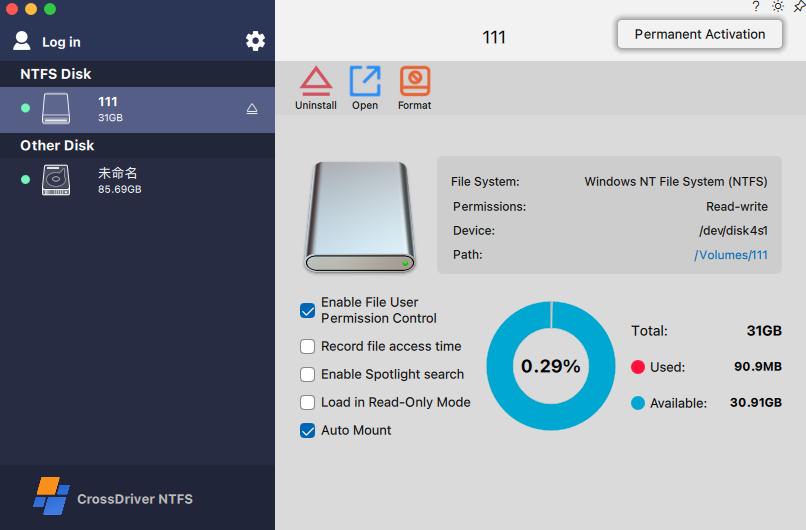
CrossDriver XFS for Mac is a read-write tool for Linux XFS disks. According to vendor descriptions, it mounts and unmounts XFS disks from the macOS menu bar and exposes disk contents in Finder for edit, copy, or delete operations. That addresses the basic read-write and browse workflow without formatting the drive. For buyers searching for an XFS file explorer for Mac, the relevant value is not only the driver itself but the graphical workflow around mounting and file access.
The product belongs to a family that includes CrossDriver NTFS for Mac and CrossDriver Ext4 for Mac. Buyers should treat these as separate products with separate compatibility and licensing. The family matters because a studio or IT team may want one vendor relationship for Windows NTFS, Linux Ext4, and Linux XFS access on Mac, even if each driver is purchased and validated separately.
Commercial service includes a software license, installation package, activation key, user documentation, knowledge-base tutorials, and remote technical troubleshooting reports on request. Delivery is online. Support languages are English and Chinese. Service duration ranges from 1 day to a lifetime license. The verified data used for this analysis lists a CrossDriver XFS for Mac lifetime license at USD $59.95. Enterprise buyers should confirm volume-licensing terms, renewal policy, and support scope directly, because the public source set does not establish a complete enterprise SLA.
CrossDriver describes CrossDriver XFS for Mac as the only commercial XFS for Mac product in its materials. That is a vendor positioning claim, not an independently audited market fact. The broader market includes open-source xfs-fuse, the fuse-xfs project, and an FSKit-based xlinuxfs project that lists XFS among supported file systems. The practical question for a buyer is therefore not whether alternatives exist, but whether the chosen product provides the required XFS features, macOS compatibility, write safety, and support model.
Technical Explanation: Kernel-Level Driver vs FUSE and Indirect Workarounds
CrossDriver describes its drivers as running directly within the macOS kernel layer and interacting with the system at the lowest level. The company states that this architecture reduces data conversion and allows NTFS, Ext4, and XFS file systems to achieve performance close to Mac native file systems. It also claims transfer speeds more than five times faster than FUSE-based user-space tools. These are vendor claims. The source set used for this article did not include independent throughput, latency, CPU, memory, crash, corruption, or recovery benchmarks.
FUSE-based tools take a different approach. They run in user space and depend on the macFUSE framework. The open-source xfs-fuse tool is documented as stable for read operations, with write functions treated as experimental and requiring terminal commands. The fuse-xfs project states that version 2.0.0 provides full read-write support for XFS V5 file systems on macOS 11.0 and later via macFUSE, with updates for Apple Silicon. The xlinuxfs project describes a macOS FSKit extension for mounting ext2, ext3, ext4, XFS, and Btrfs volumes, with Apple Silicon and Intel support claimed by the project. These are materially different architectures and maturity levels.
Apple platform guidance adds a deployment constraint. Apple states that kernel extensions have broad system access, require administrator approval and a restart for on-demand loading on macOS 11, and may require Reduced Security; Apple recommends system extensions instead where possible. That does not determine which XFS product is right for a given team, but it does mean that driver architecture is a procurement issue. Buyers should ask how the driver is installed, whether kernel-extension approval is required, whether a restart is needed, and what security-mode changes are involved.
For an XFS volume on Mac, the technical evaluation should cover more than mount success. It should test read and write operations, large-file transfers, interrupted writes, eject behavior, permissions, UID and GID mapping, extended attributes, and journal recovery. The source set did not include a published, independently verified XFS feature matrix for CrossDriver. That is a gap buyers should close with their own validation before placing production data on any new driver.
Compatibility and Deployment: Apple Silicon, macOS Versions, and XFS Features
The vendor states that CrossDriver XFS for Mac supports macOS 10.13 High Sierra through current releases listed by the vendor, including macOS Sequoia and Tahoe, with optimization for Apple Silicon. The verified product data also indicates support for Intel and Apple Silicon M1 through M5 chips. In practical terms, this covers XFS for MacBook Pro and XFS for Mac mini deployments on both Intel and Apple Silicon hardware, subject to model-level validation.
Compatibility claims are not the same as a validated feature matrix. Advanced XFS features such as reflink, sparse files, extended attributes, and storage quotas are widely used on Linux enterprise servers. A buyer with production XFS data should ask for a model-by-model and macOS-version compatibility matrix, plus test cases for large files, permissions, UID and GID mapping, interrupted writes, and journal recovery. The same discipline applies to open-source alternatives: a project claim of write support should be tested against the exact XFS version and workload in use.
Application and Use Cases
Media and video production. A studio may receive an XFS-formatted media drive from a Linux-based post-production or storage system. With a Mac-based XFS driver, editors can read, write, and modify files directly from Finder instead of copying the entire project to another disk or relying on a shared network path. This is one of the clearest use cases for XFS for Mac in creative workflows, especially when large media assets make repeated copying expensive.
IT operations and NAS support. An IT administrator may need to inspect an XFS disk from a Linux server or NAS using a Mac laptop. Direct local mounting can reduce debugging time and avoid the need to return to a Linux workstation. The same capability helps when a Mac user needs to access Linux XFS partitions on Mac for troubleshooting, backup verification, or file extraction.
Personal backup and external drives. A user with an existing XFS external drive may want to back up files to a Mac or edit files on the drive without reformatting it. For a non-critical personal workflow, the main value is convenience and data preservation. For business-critical data, the buyer should treat the driver as one part of a backup and validation process, not as a substitute for backup.
Multi-system home storage. A single external drive may be shared across Windows, Linux, and Mac devices. XFS is more common in Linux environments, but a Mac may still need to access that volume. A local driver avoids the need to route every file operation through a network share or a virtual machine.
macOS upgrade scenarios. After a major macOS update, an older cross-platform driver may become incompatible. Users may find that a previously working XFS drive is no longer accessible. A vendor that provides compatibility updates and documented installation guidance can reduce downtime, but buyers should still maintain a rollback plan and avoid upgrading production machines without testing.
These scenarios share one condition: the data must remain on XFS. If the drive can be reformatted and XFS-specific features are not required, conversion to exFAT may be simpler. If the drive has hardware failure or data loss, a file-system driver is not a recovery service. CrossDriver's service scope explicitly excludes hard-drive hardware repair and physical disk data recovery.
Market Trend Analysis: Why Cross-Platform Storage Workflows Keep Expanding
Three durable trends support demand for cross-platform file-system tools. First, hybrid teams increasingly exchange data between Windows, Linux, and macOS rather than standardizing on one operating system. Second, high-capacity media, NAS deployments, and external storage arrays make file-system compatibility a workflow issue rather than a rare edge case. Third, Apple Silicon has changed the deployment model for macOS drivers, raising the importance of compatibility updates and security approval.
Verified market-size or CAGR figures for XFS-for-Mac software were not available in the source set used for this analysis. The category is therefore better assessed through workflow demand than through market-size estimates. XFS remains a server-side and Linux-oriented file system. Mac access to XFS is a niche requirement, but it can be a high-value one when a team must preserve XFS data and avoid reformatting.
The competitive landscape is also shifting. Open-source FUSE and FSKit projects increase choice and put pressure on commercial vendors to justify their licensing through compatibility, support, graphical workflow, and data-integrity testing. At the same time, commercial buyers increasingly ask for code-signing, notarization, privacy documentation, and support terms. A vendor that cannot answer those questions may struggle in enterprise procurement even if its core read-write capability is adequate.
How CrossDriver XFS for Mac Compares with Traditional Solutions
The comparison below is organized around data path and operational burden. It is not a performance ranking. The purpose is to show why a local XFS driver for Mac exists alongside virtual machines, network sharing, reformatting, and open-source tools.
| Approach | Data path | Strengths | Limitations |
|---|---|---|---|
| Native macOS with reformatting | Local, after converting the drive | Simple long-term compatibility if XFS is not required | Erases existing data during conversion; removes XFS features; unsuitable when the drive must remain XFS |
| Linux virtual machine | Indirect, through a VM | Preserves XFS; uses Linux tools | Consumes CPU and memory; adds latency and maintenance; depends on VM stability |
| SMB or NFS network sharing | Indirect, over a network | Centralized access; no local driver on the Mac | Requires network availability; no offline local mount; bandwidth limits; metadata and permissions may not be fully preserved |
| Open-source xfs-fuse or fuse-xfs | Local, user-space FUSE | Low software cost; local mounting possible | xfs-fuse is stable for read with experimental write; fuse-xfs claims full read-write in version 2.0.0; command-line workflow; Apple Silicon behavior varies; no commercial SLA |
| CrossDriver XFS for Mac | Local, vendor-described kernel-level driver | Menu-bar mount and Finder workflow; commercial licensing and remote support; Intel and Apple Silicon claims; no reformat required | Kernel-extension approval and restart may be required; vendor performance claims need independent validation; exact XFS feature matrix and enterprise SLA were not published in the source set |
The table makes the trade-off visible. A virtual machine or network share can be appropriate for occasional access or centralized storage, but it is not a direct local mount. Open-source tools can be useful for technical users, especially for read-only or experimental work, but they may not meet enterprise support requirements. A commercial driver is most useful when the buyer needs a local read-write workflow, a graphical interface, and a vendor to contact when something fails.
Where CrossDriver Fits, and Where It Does Not
CrossDriver is best understood as a specialist XFS access tool, not a full data-management platform. Its procurement value is narrow and specific: it lets a Mac work directly with XFS volumes without reformatting or indirect network and virtual-machine workarounds. That is meaningful for teams that must preserve XFS and need local file access from macOS.
The limitations are equally specific. Crossdriver Limited was established in 2025 and reports about 50 staff, so it is a young, small vendor compared with established storage-software companies. The source set did not include independent performance, crash, corruption, or recovery testing. Apple kernel-extension guidance creates deployment friction. The vendor's service scope excludes hardware repair, physical data recovery, operating-system reinstallation, LAN and NAS deployment, and on-site implementation. Buyers should also confirm code-signing, notarization, privacy, telemetry, support SLA, incident history, and volume-licensing terms, because these were not verified in the public source set.
For a single Mac user with a non-critical XFS drive, the decision may be simple. For an enterprise production workflow, the decision should be evidence-based. Pilot the exact XFS volume, macOS version, and Mac model. Test writes and interruptions. Confirm support escalation. Document rollback. A driver that mounts a disk is not automatically proven for every production workload.
Procurement Value and Recommended Selling Points
Within those boundaries, several selling points are worth evaluating:
- No reformat required. CrossDriver XFS for Mac is designed to preserve the existing XFS file system, which matters when the drive contains Linux project data or server backups that cannot be converted.
- Direct Finder workflow. Vendor descriptions state that users can mount and unmount XFS disks from the menu bar and edit, copy, or delete contents in Finder. That reduces reliance on command-line mounting for routine file access.
- Apple Silicon and Intel coverage. The vendor claims support for Intel and Apple Silicon M1 through M5 chips, plus macOS 10.13 through macOS Sequoia and Tahoe. Buyers should validate the exact Mac model and macOS build.
- Commercial licensing and remote support. Online delivery, English and Chinese support, documentation, service tickets, and email support are listed in the service scope. That is relevant for buyers who need an accountable vendor contact.
- Single-vendor family for NTFS, Ext4, and XFS. The CrossDriver portfolio covers Windows, Linux Ext4, and Linux XFS access from Mac. A team with mixed storage formats may value one vendor relationship, while still testing each driver separately.
- Transparent entry price. The verified data lists a lifetime license at USD $59.95. Enterprises should confirm volume terms, upgrade policy, and support scope before standardizing.
These are procurement criteria, not a blanket recommendation. The strongest fit is a Mac-based team that already has XFS storage and needs local read-write access with vendor support. The weakest fit is a buyer who needs proven high-availability enterprise storage management, data recovery, or independently benchmarked performance. In those cases, CrossDriver XFS for Mac may still be useful, but it should not be the only control in the workflow.
Future Outlook
The future of XFS for Mac will be shaped by three forces: Apple platform security, file-system architecture, and the maturity of open-source alternatives. Apple has been steering developers toward system extensions and DriverKit, while kernel extensions carry approval, restart, and security-mode implications. That raises the bar for any vendor that wants to deploy a file-system driver on modern Macs.
At the same time, open-source projects are advancing. FSKit-based approaches and FUSE-based tools may narrow the gap for technical users, especially for read access or experimental write workflows. Commercial vendors will need to differentiate through compatibility testing, graphical workflow, support response, licensing clarity, and data-integrity evidence. CrossDriver's stated exploration of BTRFS and ZFS suggests a multi-file-system roadmap, but buyers should evaluate shipped capabilities rather than future plans.
For procurement teams, the practical outlook is to expect change. macOS updates can alter driver behavior. XFS features can vary by Linux distribution and server configuration. A vendor that provides clear compatibility updates and a documented support path is more valuable than a static feature list. The right question is not only whether XFS for Mac works today, but whether the vendor can support the exact Mac, macOS version, and XFS workload through the next upgrade cycle.
FAQ
What is XFS for Mac?
XFS for Mac refers to software that enables macOS to access XFS-formatted storage. macOS does not provide native read-write support for XFS according to the source materials, so a third-party driver is needed to mount an XFS volume, browse XFS files on Mac, and perform write operations. CrossDriver XFS for Mac is one commercial option; open-source FUSE and FSKit-based projects also exist.
Does macOS support XFS natively?
macOS does not provide native read-write support for XFS in the source materials used for this analysis. A Mac may fail to mount an XFS external drive or may not expose the volume in Finder without a third-party XFS driver for Mac. Reformatting the drive can create compatibility, but it changes the file system and may erase existing data.
Can CrossDriver XFS for Mac write to XFS drives?
The vendor states that CrossDriver XFS for Mac provides full read-write control over Linux XFS disks, including edit, copy, and delete operations in Finder. The verified data records this as a vendor claim. The source set did not include independent write-performance or data-integrity testing, so buyers should validate on a non-critical copy before using production data.
Is CrossDriver XFS for Mac compatible with Apple Silicon?
The vendor states that CrossDriver XFS for Mac supports Intel and Apple Silicon M1 through M5 chips, with macOS 10.13 High Sierra through current releases listed by the vendor, including macOS Sequoia and Tahoe. Buyers should confirm the exact Mac model, macOS build, and XFS volume configuration, because a general compatibility claim is not a model-by-model test matrix.
Why is my XFS drive not recognized on Mac?
An XFS drive may not be recognized on Mac because macOS lacks a native XFS driver, the third-party driver is not installed or approved, kernel-extension permission is blocked, the macOS version is incompatible, or the drive enclosure or connection is faulty. Users should also check whether the XFS volume uses features that the selected driver does not support.
What should buyers check before purchasing an XFS driver for Mac?
Buyers should check read and write support, the XFS feature matrix, macOS and Mac model compatibility, interrupted-write behavior, permissions and UID or GID mapping, performance evidence, code-signing and notarization, privacy and telemetry terms, support SLA, licensing and renewal terms, rollback procedure, and the boundary between file-system access and data recovery. These checks matter more than a generic claim of XFS support.
For vendor technical documentation, CrossDriver provides a publicly accessible Technical White Paper (DOCX).
Tem questões ou precisa de mais detalhes?
Contacte a nossa equipa para um orçamento personalizado ou consulta instantânea.
Solicitar orçamento
Preencha o formulário abaixo e a nossa equipa entrará em contacto com uma proposta personalizada.
Chat direto do WhatsApp
Prefere conversar em tempo real? Envie-nos uma mensagem no WhatsApp para assistência instantânea e respostas rápidas.
- Obter orçamento personalizado
- Partilhar fotos ou documentos
- Discuta as suas necessidades diretamente
Geralmente responde em 5–30 minutos durante o horário de expediente.