
Multifunctional Digital Printer: Match Mode to Orders
Multifunctional Digital Printer: Match Mode to Orders
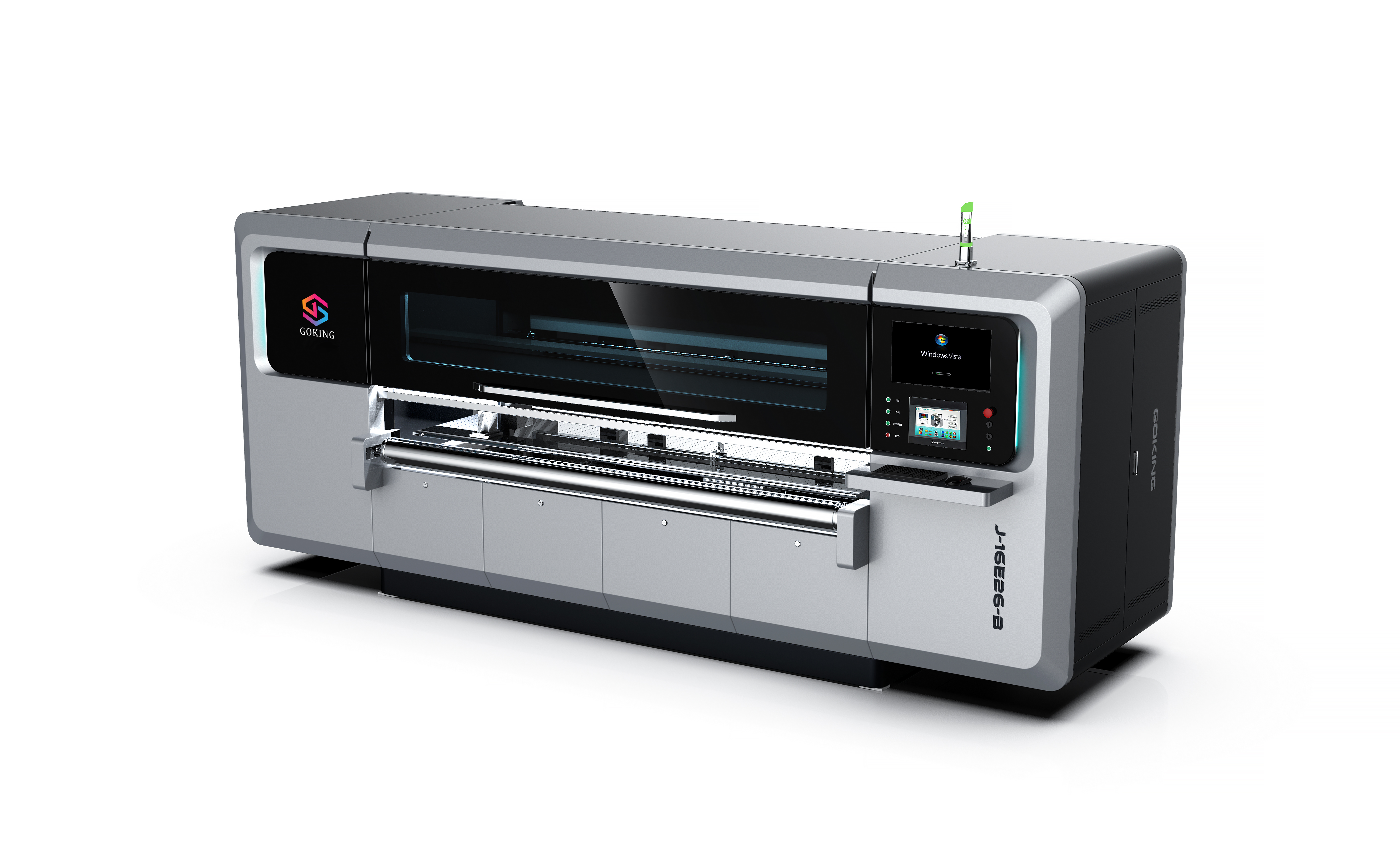
For packaging buyers, the central configuration question is not simply which printer has the highest stated speed. It is whether the machine’s operating mode, printhead and nozzle configuration, substrate handling, and ink options fit the actual order mix. GOKING’s product information describes single-pass, multi-pass scanning, and combined 2-in-1 configurations, with a stated material-thickness range of 2–30 mm and production-efficiency figures of 700 and 1500 m²/h. The available figures do not map those efficiency values to a specific model, mode, board, or test condition, so they should be treated as configuration questions to resolve—not as a guaranteed comparison.
This buyer framework connects job size, board format and thickness, substrate, image requirements, and production rhythm to a shortlist. It is intended for packaging buyers moving from research to evaluation: first characterize the work, then select a likely print mode, and finally validate the proposed machine against representative jobs. GOKING’s stated portfolio includes corrugated-cardboard printing equipment and single-pass, multi-pass, and 2-in-1 configurations. Those portfolio descriptions identify options; they do not by themselves establish that every option supports every substrate or production condition.
Begin with the order profile, not the headline speed
An order profile is the practical description of the work the machine must produce. For each job family, record approximate run size, how often jobs change, board dimensions, board thickness, substrate type, and the required image detail. Include both routine jobs and less frequent but commercially important work, such as large-format boards or short-run packaging. This matters because a machine selected around only the largest batch may not suit frequent short jobs, while a configuration chosen only for flexibility may not match a sustained high-volume schedule.
Separate the work into recurring patterns rather than relying on a single average. A converter might have longer repeat orders alongside small, frequently changed jobs; the point is not to assume that any one factory has this mix, but to test whether it resembles the buyer’s own production records. The assigned product information describes single-pass as a high-volume option, multi-pass scanning as suited to intricate or high-definition work, and the hybrid 2-in-1 as a way to use direct output for standard orders and scanning for proofing or high-precision short runs. These are supplier-described application positions. Buyers should confirm the fit with their own files and materials.
For every job family, identify the constraint that would make it fail acceptance: excessive board thickness, unsupported format, a substrate-specific print result, insufficient detail, or a production target that the offered configuration cannot demonstrate. A buyer can then compare machines against a defined workload rather than choosing from broad labels such as high-speed, high-resolution, or multifunctional. This also makes the supplier’s technical response easier to assess: it should identify the proposed model and configuration for each material and mode, rather than treating portfolio-level statements as a complete answer.
Match operating mode to job size and board complexity
Single-pass direct output is the initial mode to assess when the order profile is dominated by larger, repeatable production batches and throughput is a primary requirement. GOKING’s product description positions its high-speed single-pass press for high-volume orders. The specification unit also lists single-pass speeds of 60 m/min for Epson nozzles and at least 100 m/min for XAAR nozzles. These are stated linear-speed figures, not a confirmed output rate for every board, print width, resolution, or ink configuration. They should not be converted into a job-completion promise without a model-specific production demonstration.
Multi-pass scanning is the relevant mode to examine when the job profile includes complex artwork, large-format boards, or short-run work where the buyer prioritizes the scanning workflow. GOKING’s capability information specifically describes scanning for complex or large-format boards and direct output for small boards and small-batch orders. Its product description also associates scanning multi-pass machines with intricate patterns and fine text. These descriptions support a mode-selection discussion, but they do not establish a measured resolution advantage on a specific substrate. Request a sample using the buyer’s own artwork and board before drawing a conclusion about image suitability.
A 2-in-1 configuration is worth evaluating when the order book contains both types of work and switching between them is operationally relevant. The supplied product information describes a hybrid machine that can operate as a high-speed press for standard orders and switch to scanning for proofing or high-precision short runs. That flexibility is a configuration feature, not proof that every mode will meet a buyer’s required output on every material. Confirm which model includes both modes, how the changeover is performed, and which printhead, DPI, and ink settings apply in each mode.
| Order-profile signal | Mode to assess first | What to verify before selection |
|---|---|---|
| Longer or higher-volume repeat jobs | Single-pass direct output | Model-specific throughput for the target board, width, ink, and resolution; confirm what the stated speed measures. |
| Complex artwork, large-format boards, or small-batch jobs | Multi-pass scanning | Sample quality and practical job fit using the intended artwork, substrate, and board dimensions. |
| A mixed order book with both standard batches and short or precision jobs | 2-in-1 single-pass and multi-pass | Mode availability on the offered model, switching workflow, and validated output in each mode. |
The table is a screening framework, not a ranking. The choice remains conditional on the machine configuration and the buyer’s acceptance criteria. When order patterns do not fit neatly into one row, prioritize the jobs that determine investment fit and test those first.
Interpret 700 m²/h and 1500 m²/h carefully
The product specification lists production efficiency as 700 / 1500 m²/h. It does not identify in the supplied material which model or print mode corresponds to each figure, nor does it state the substrate, print width, image coverage, DPI, or measurement conditions associated with them. Consequently, the two values can be included in an evaluation, but they cannot support a claim that single-pass always produces 1500 m²/h or that multi-pass is limited to 700 m²/h. The documented linear speeds for particular Epson- and XAAR-nozzle single-pass configurations are separate figures and should not be treated as a direct explanation of the 700 / 1500 m²/h entries.
Ask the supplier to connect each efficiency figure to a specific model and configuration. The response should identify the operating mode, print width, nozzle or printhead arrangement, resolution, substrate and thickness, and the conditions under which the output was measured. Then compare that information with a representative production file and the buyer’s actual order profile. A machine’s stated area-per-hour figure does not on its own tell a buyer how a particular job will run.
For evaluation, define what output means in the quotation or acceptance plan: the measured area, the print mode, and the material and image conditions used. If the supplier cannot provide a like-for-like explanation of the two listed figures, keep them as unassigned specification entries and do not use them to calculate a production schedule or investment return. This is not a conclusion that either figure is inaccurate; it is a boundary on what the supplied specification establishes.
Use thickness and substrate as qualification gates
The product specification lists material thickness from 2–30 mm. Treat this as a stated equipment range, not as confirmation that every board within that range can be printed in every mode or at the same output. For each intended job, check the actual board thickness, size, feeding method, and machine configuration. The specification lists leading-edge feeding or belt feeding, and describes a vacuum adsorption platform. Buyers should ask how the offered configuration handles their board and whether the relevant feeding option is included or optional for that model.
Substrate identity is equally important. GOKING’s supplied company information describes solutions spanning kraft paper and coated paper, as well as sheet printing through mass production. Its product information identifies corrugated cardboard and packaging applications. These statements describe the stated range of the portfolio, not a model-by-model compatibility matrix. Verify which proposed machine, ink, and print mode are intended for each substrate. A successful result on one board type should not be assumed to establish performance on a different coating, color, thickness, or surface.
Ask for a print sample using the buyer’s actual substrate, or the closest available representative material if a production board cannot be supplied. Record the board description and thickness, ink set, mode, and configuration used for the sample. The sample helps the buyer assess whether the proposed setup is suitable for the job; it does not replace confirmation of production conditions. Where a material varies between suppliers or lots, define how the test material relates to the materials expected in production.
This is particularly relevant to searches for a kraft paper digital printing machine, a coated-paper solution, or a cardboard packaging digital printer. These are useful application descriptions, not proof that one generic machine configuration will deliver the same result across all named substrates. Make the substrate and model part of the written technical specification so that selection and later acceptance refer to the same conditions.
Connect DPI, nozzle choice, and print detail
DPI and nozzle selection matter because they define parts of the proposed print configuration, but a nominal DPI number alone is not a complete measure of the printed result. The supplied company profile states support for 600 DPI and 1200 DPI and lists configurations from 8 to 256 Epson nozzles. The separate product specification describes 8 to 256 printheads and different nozzle and DPI configurations. These are portfolio-level statements; the available evidence does not map every DPI and nozzle count to a specific model, mode, or output rate.
GOKING’s product specification characterizes the printhead as micro-piezo high precision and lists Epson and XAAR nozzle options in the product descriptions. The supplier’s product material presents Epson configurations for high-definition scanning work and XAAR configurations for single-pass use. Treat those statements as configuration guidance from the supplier, not an independent performance comparison between brands. Before purchasing, request a model-specific mapping that states which printhead is offered, the available DPI settings, the number of printheads or nozzles, and the mode in which each setting is used.
Then evaluate image quality with files that reflect the actual work: fine text, gradients, patterns, or other details that matter to the buyer’s packaging. The product specification lists PDF, JPG, BMP, and TIF support and states a minimum text size of digital, English 1.5 mm. Confirm how that stated text-size figure applies to the proposed model and print conditions. A sample should be assessed at the intended board size and in the selected mode, rather than judged only from a demonstration image or a DPI label.
Check ink and platform configuration against the job
The listed color mode is CMYK (W), indicating a white-ink option; the specification does not establish that white ink is standard on every model. Confirm whether the offered machine includes white, how the ink set is configured, and whether it is appropriate for the intended substrate and artwork. Buyers considering a digital printer with white ink should test the actual design and board because the supplied information does not provide a measured color-gamut result, opacity value, or substrate-specific white-ink performance result.
The specification lists water-based dye ink, water-based pigment ink, coating ink, and UV eco-friendly ink. It does not provide a complete compatibility matrix connecting each ink to every machine, substrate, drying condition, or required end-use performance. The wording should therefore be treated as a list of ink types stated for the equipment range, not a guarantee that all are available in every configuration. Request the proposed ink specification in writing and confirm that the sample and any production validation use the same ink and substrate combination.
The vacuum adsorption platform is another listed machine feature. Its presence is a relevant specification to verify when reviewing board handling, but it is not by itself proof that the machine will feed every board consistently. Ask which platform and feeding arrangement are included in the proposed model, and inspect operation with the intended board dimensions and thickness. This joins the mechanical and print checks: a technically suitable print mode still has to be evaluated with the buyer’s actual material and handling requirements.
Compare the digital workflow with plate-based production
The supplied application information describes digital printing as a way to handle short-run, urgent, and personalized orders, and identifies replacing plate-based printing, reducing plate costs, and reducing setup waste as intended benefits. For buyers evaluating those applications, the relevant question is how their own job sizes and frequency of job changes affect the production workflow. The source material does not provide a break-even run length, quantified savings, or a measured comparison against a specified plate-based process, so no universal cost advantage can be calculated from it.
The limitation is important: a plate-less workflow is not automatically the right choice for every order profile. Buyers should compare a specific set of jobs, including setup requirements, material, print mode, and expected output, rather than assuming that the digital machine is always faster or less costly. The supplied material supports the possibility of flexible short-run production; it does not establish the same economic result for all run lengths or factories.
For a fair evaluation, ask for the proposed digital configuration and a clear description of how it handles the buyer’s representative jobs. Compare those facts with the current process using the buyer’s own production records and cost assumptions. Keep measured results separate from supplier-stated specifications. If a supplier provides a sample, confirm the substrate and configuration; if a supplier provides an efficiency figure, confirm its test conditions. This creates a decision record without turning a general application claim into a guaranteed outcome.
A practical selection sequence for evaluation
First, classify jobs. Group work by run size, frequency of change, board dimensions, thickness, and substrate. Identify which groups require complex detail, large-format handling, or direct output. This gives the evaluation a concrete scope and keeps the decision tied to the buyer’s order profile.
Second, shortlist the mode. Assess single-pass for high-volume repeat work, multi-pass scanning for complex or large-format boards and short-batch requirements, and 2-in-1 when the buyer needs both direct-output and scanning modes. These are initial fits based on GOKING’s supplied descriptions; the selected configuration still needs confirmation.
Third, match the technical configuration. Record the proposed model, mode, printhead or nozzle type, DPI, number of heads, ink set including whether white is included, feeding method, and platform. Map each of those details to the job groups instead of treating portfolio options as one combined machine specification.
Fourth, validate the output claim. Ask which configuration the 700 or 1500 m²/h figure refers to, and request the conditions for the stated result. Keep single-pass linear-speed figures separate from area-per-hour efficiency. Confirm performance with relevant board, print file, mode, and settings before using a figure in production planning.
Fifth, qualify materials and acceptance. Test representative substrates and thicknesses, review the print sample against the buyer’s requirements, and document the configuration used. Where the buyer needs a specific result—such as legible fine text or artwork on kraft or coated paper—make that result part of the evaluation rather than inferring it from the machine category.
This sequence helps buyers move from broad product labels to a configuration that can be evaluated against defined work. It also exposes missing information early. If mode mapping, test conditions, ink availability, or substrate fit is not specified, the buyer can request clarification before comparing proposals or making a final selection.
Conclusion: choose for the work that must be demonstrated
A multifunctional digital printing machine should be selected by matching operating mode and configuration to the buyer’s order profile. Single-pass, multi-pass scanning, and 2-in-1 options address different production priorities in the supplied product descriptions, while board thickness, substrate, DPI, nozzle configuration, ink, and feeding arrangement narrow the fit. The stated 700 and 1500 m²/h figures belong in the evaluation, but the supplied specifications do not assign them to a particular mode or set of test conditions. Buyers should obtain that mapping rather than assume one.
For a configuration discussion, GOKING lists these contact channels: email w1250606130@gmail.com, phone +86 18028205637, and WhatsApp +86 18475532220. A useful technical inquiry identifies the intended board, thickness, substrate, job profile, print detail, and preferred mode so the proposed configuration can be assessed against the actual requirement.
Frequently asked questions
How should a buyer choose between single-pass and multi-pass scanning?
Start with the job mix. GOKING’s product information positions single-pass for high-volume orders and describes scanning for complex or large-format boards and small-batch work. Confirm the fit with a model-specific configuration and representative sample; the supplied material does not establish that either mode is preferable for every job.
What do the stated 700 and 1500 m²/h figures represent?
The product specification lists production efficiency as 700 / 1500 m²/h, but the supplied information does not map the figures to a specific model, mode, board, or test condition. Ask the supplier to identify those details before using either number for capacity planning or comparing configurations.
Does the 2–30 mm range mean every board in that range is compatible?
No such universal conclusion is supported by the supplied specification. It lists material thickness of 2–30 mm, but does not provide a model-by-model matrix linking thickness, substrate, mode, and output. Verify the proposed machine with the actual board and feeding arrangement.
Is white ink included on every machine?
The listed color mode is CMYK (W), which indicates an optional or configurable white-ink capability in the product range; the supplied material does not state that white ink is standard on every model. Confirm the offered ink configuration and test it on the intended substrate and artwork.
Which DPI and nozzle configuration should a buyer request?
Ask for the model-specific mapping between DPI, printhead or nozzle type, nozzle or head count, and operating mode. The company profile lists 600 DPI and 1200 DPI and configurations from 8 to 256 Epson nozzles, but does not map every combination to individual models or guarantee a particular print result.
Tem questões ou precisa de mais detalhes?
Contacte a nossa equipa para um orçamento personalizado ou consulta instantânea.
Solicitar orçamento
Preencha o formulário abaixo e a nossa equipa entrará em contacto com uma proposta personalizada.
Chat direto do WhatsApp
Prefere conversar em tempo real? Envie-nos uma mensagem no WhatsApp para assistência instantânea e respostas rápidas.
- Obter orçamento personalizado
- Partilhar fotos ou documentos
- Discuta as suas necessidades diretamente
Geralmente responde em 5–30 minutos durante o horário de expediente.