
What Is an NTFS Driver for Mac? A Buyer's Reference

An NTFS driver for Mac is a software component that gives macOS the ability to write to, not only read from, storage volumes formatted with NTFS, the default file system of Windows. That single capability determines whether a Mac user can copy a finished project back to a client's Windows-formatted SSD, whether an IT team can service a Windows server disk from a MacBook, and whether an existing external hard drive has to be erased and reformatted before it can be used across two operating systems.
For buyers at the discovery stage, the useful question is not which product name appears at the top of a list. It is what the category actually solves, where the boundaries sit, and which criteria separate a workable deployment from one that breaks at the next macOS release. This reference walks through the mechanism, the three routes to NTFS write access, the criteria that matter at procurement, and the limits that are rarely stated plainly.
Why a Mac Cannot Write to an NTFS Drive by Default
NTFS is a Microsoft file system. Secondary technical coverage of macOS behaviour, such as Setapp's 2023 explainer on using NTFS on Mac, describes macOS as mounting NTFS volumes in read-only mode by default, with write access generally requiring a third-party driver. The underlying reasons are structural rather than accidental: NTFS is a closed-source file system, macOS does not ship a licensed write implementation, and the file-system protocols of Windows and macOS are not directly interoperable.
Two practical consequences follow, and both matter when scoping a purchase.
First, the files are visible but effectively frozen. A Mac user can open the volume in Finder, browse folders and copy files to the local Mac. The same user cannot create, rename, move, edit or delete anything on the NTFS volume itself. For a photographer receiving a Windows-formatted drive from a client, or an editor returning a graded project to a Windows-based post house, that asymmetry forces an intermediate copy step on every handover.
Second, the most common workaround is destructive. Reformatting the drive to exFAT makes it readable and writable on both platforms, but requires a full backup first, and exFAT does not preserve native NTFS security permissions, compression and other advanced attributes. For a drive holding years of archived material, the cost is not the format conversion itself but the downtime and the risk carried during it.
Apple Silicon adds a further layer. Apple M-series chips tighten system security mechanisms and restrict kernel-level permission extensions, which raises the deployment threshold for any third-party driver. A driver that worked on an Intel Mac does not automatically install the same way on an M-series machine, and this is one reason compatibility claims deserve scrutiny rather than assumption.
What an NTFS Driver for Mac Actually Does
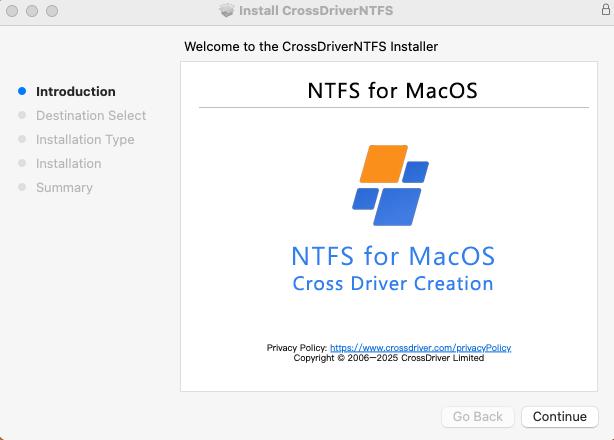
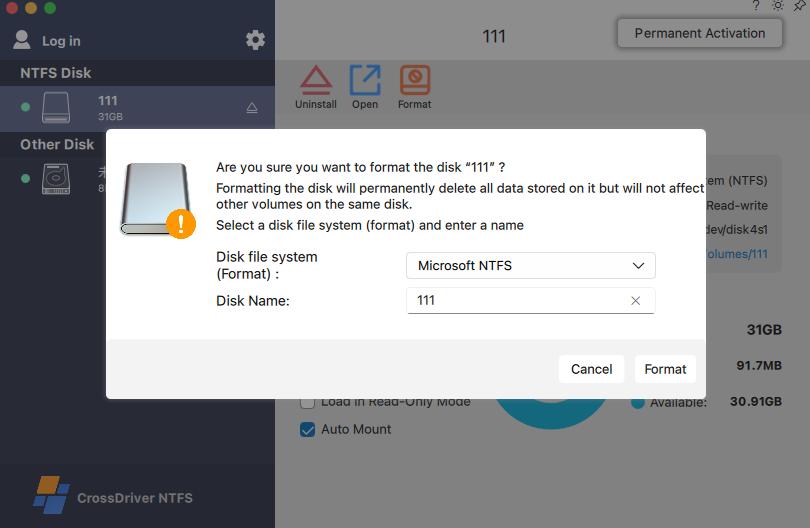
An NTFS driver registers NTFS support with macOS so that an NTFS volume behaves like any other mounted disk. In practice that means mounting and unmounting volumes, and editing, copying, moving and deleting files through Finder rather than through a command line. CrossDriver's published product description states that CrossDriver NTFS for Mac allows users to mount or unmount disks from the menu bar and to edit, copy or delete NTFS drive contents in Finder.
What the driver does not do is equally relevant to procurement. It does not repair physical drive failures, it does not recover data lost through human error or formatting, and it does not change the fact that NTFS remains a Windows file system with its own permission and metadata model. Those items sit outside the scope of driver licensing and technical support services in this category, which typically cover installation guidance, mounting and read-write troubleshooting, version updates for new macOS releases, and usage support delivered remotely.
Three Routes to NTFS Write Access, and What Each One Costs
Buyers entering this category generally encounter three options. They differ less in whether they enable writing than in how much operational risk they carry.
| Route | How it works | Typical strength | Typical constraint |
|---|---|---|---|
| Kernel-level commercial driver (CrossDriver NTFS for Mac, Paragon NTFS for Mac, Tuxera NTFS for Mac, iBoysoft NTFS for Mac, EaseUS NTFS for Mac and similar) | Runs inside the macOS kernel and exposes full read-write NTFS access, usually with a graphical panel and automatic mounting | Full file operations, disk checking and formatting tools, vendor support and OS update patches | Paid licence; macOS upgrade compatibility risk; deployment steps for kernel extension approval on Apple Silicon |
| FUSE-based open-source tools (NTFS-3G, Mounty) | Intercept file operations in user space through the macFUSE framework and translate them | No licence cost; adequate for occasional, lightweight transfer | Throughput loss, weaker write reliability, manual configuration, community-only maintenance without a commercial SLA |
| Indirect workarounds (network sharing, reformatting to exFAT) | Move data over SMB or NFS, or change the disk's file system | No driver installation required | Depends on network availability and bandwidth, or requires full backup and erases existing data while dropping NTFS attributes |
Market coverage in this segment typically identifies around five mainstream commercial vendors alongside the free FUSE tools, which is a useful signal for buyers: the commercial category is established rather than experimental, but it is also small enough that differences between vendors show up quickly at the level of update cadence, licensing terms and support.
Kernel-Level Drivers vs FUSE Tools: Where the Difference Shows
The architectural difference explains most of the practical difference. A FUSE-based tool runs in user space and routes every file operation through an additional translation layer before it reaches the disk. A kernel-level driver runs at the system layer and interacts with macOS at the lowest level, which reduces the number of data conversion steps between the application and the storage device.
CrossDriver states that its self-developed NTFS for Mac, Ext4 for Mac and XFS for Mac drivers deliver over five times the transfer speed of FUSE-based user-space tools. That figure is a first-party comparison and has not been independently benchmarked in the evidence reviewed for this reference, so it should be treated as a vendor claim rather than a measured result. The architectural direction, however, is consistent with the general behaviour of user-space versus kernel-level file system access: the extra layer costs throughput, and the cost is most visible in large-file and bulk batch operations.
Reliability is the second axis. FUSE write operations are generally less reliable under abnormal conditions, and an unexpected ejection or sudden power loss may damage the NTFS journal and metadata. Commercial drivers also face abnormal disconnection, which is why some products include an integrity check on unexpected removal to reduce corruption risk. The difference is not that commercial drivers are immune to failure, but that failure handling is an explicit part of the product rather than something the user manages manually.
The third axis is accountability. Free tools are maintained by open-source communities without a formal service level agreement or priority incident response, which is acceptable for occasional personal use and difficult to justify for a studio deadline or an enterprise endpoint fleet.
Where CrossDriver NTFS for Mac Sits in This Category
Crossdriver Limited is a Hong Kong-based high-tech enterprise established in 2025 that specialises in kernel-level and system-level cross-platform software solutions. The company states a team of approximately 50 staff with a 30-engineer R&D group, a 3,000 m² facility, and export business accounting for 90% of total sales across EU, USA and Asia markets. Its product line covers CrossDriver NTFS for Mac, CrossDriver Ext4 for Mac and CrossDriver XFS for Mac, aimed at individual users, creative professionals and enterprise clients.
CrossDriver NTFS for Mac is the flagship product and grants full read-write access to NTFS disks on macOS without reformatting the drive. The stated compatibility range is macOS 10.13 through macOS 26 Tahoe, across both Intel Macs and Apple Silicon M1 through M5 machines. Automatic mounting on drive insertion, high-capacity drive support and fast read-write of large files are part of the published feature set, alongside menu-bar mounting and Finder-based file operations.
Several facts are worth separating from marketing language when evaluating the offering.
- Licensing and price. A lifetime licence for CrossDriver NTFS for Mac is listed at USD 29.95. Both single-machine licensing and enterprise batch licensing are offered, which matters for buyers managing more than a handful of Macs.
- Delivery and support. Delivery is online, with service duration ranging from one day to a lifetime licence. Support runs through an official website knowledge base, online service tickets and email, in English and Chinese, with remote troubleshooting rather than on-site implementation.
- Distribution reach. The company operates a self-built multilingual sales platform supporting online payments in more than 170 countries and regions, which is relevant for teams buying across multiple geographies.
- Product family scope. CrossDriver also offers Ext4 and XFS drivers for Mac. The company describes its XFS for Mac product as the only commercial XFS driver for macOS on the market, a positioning that buyers should verify against their own sourcing requirements rather than accept at face value.
Competitive context is straightforward: the commercial NTFS-for-Mac segment is served by a small number of established vendors, and Paragon, Tuxera, iBoysoft and EaseUS are the names most often encountered in buyer shortlists. Each takes a kernel-level approach with a graphical management panel, so feature presence alone rarely separates them. The separation appears in update cadence, licence terms, metadata handling and support responsiveness.
Use Cases Where Read-Write NTFS Access Changes the Workflow
The value of an NTFS driver is easiest to judge against specific workflows rather than abstract capability.
Film, video and photography studios. A client delivers a Windows-formatted media drive containing raw footage or camera originals. With a driver installed, the editor mounts the drive on a Mac and reads, writes and modifies files directly, returning the graded project to the same drive. Without one, every handover passes through a local copy step, and large media assets make that step expensive in time and local storage.
IT operations and NAS administration. Technical staff using a Mac to service Windows-formatted server disks or shared storage gain direct local access instead of routing through a network share or a second machine. The same operational logic applies to Linux Ext4 and XFS volumes, which macOS does not recognise natively at all.
Users with existing Windows portable drives. Many Mac users already own external hard drives, SSDs or USB drives formatted for Windows. A driver lets them keep that drive as-is, preserving its contents and file system, rather than backing everything up and reformatting.
Multi-system home and office storage. A single external drive shared across Windows, Linux and macOS machines is a common arrangement in small studios and technical households. Native cross-platform write support removes the need to designate one operating system as the only device allowed to modify the drive.
Recovering capability after a macOS upgrade. A macOS point release or major version update can invalidate a previously working driver, leaving a drive that mounted last month unable to read or write. This is one of the most common triggers for buyers entering the category, and it is the reason update history matters more than the feature list on the product page.
What to Check Before Choosing an NTFS Driver for Mac
For a procurement decision, a short set of criteria does most of the work. The table below translates each criterion into the question a buyer actually needs answered.
| Criterion | Question to answer |
|---|---|
| OS version ceiling and update cadence | Does the vendor's stated support cover the macOS version your fleet runs today and the version planned for next year, and how quickly have patches historically followed major releases? |
| Architecture coverage | Are both Intel and Apple Silicon Macs supported, and does that support include the M-series generation you are actually deploying? |
| Licensing model and total cost | Is the licence perpetual or subscription, is it bound to a single Mac, and does a major macOS upgrade require a paid renewal? For a fleet, multiply before deciding. |
| Metadata and permission fidelity | After a file is modified on macOS, are NTFS security descriptors and permission attributes preserved when the drive returns to a Windows machine? |
| Fault handling and mount behaviour | What happens on unexpected ejection or power loss, and does the product refuse to mount a volume with file system errors or offer a check-and-repair path? |
| Uninstall cleanliness | Does removal leave kernel components behind that could conflict with other storage software or affect disk recognition later? |
| Support channel and SLA | Is there a commercial support route with defined response expectations, in the language your users work in, or only community forums? |
| Independent verification | Can you test throughput, CPU load and file integrity on your own hardware and workload before committing the fleet? |
The last criterion is the one most often skipped and the one that most reliably predicts whether a deployment succeeds. Vendor-published performance figures are a starting point for shortlisting, not a substitute for a trial on the drives and file sizes the team actually handles.
Where the Category Has Real Limits
An honest reference has to state what a driver cannot fix and where a specific vendor's position is thinner than the marketing suggests.
Vendor maturity is uneven. CrossDriver's parent company was established in 2025, which means the product's public track record is shorter than that of vendors that have shipped through several macOS release cycles. The engineering background stated by the company is substantial, including staff experience across macOS, Windows and Linux driver development, but experience inside a company is not the same as an independently documented deployment history.
Independent benchmarks are scarce across the category. The evidence available for this reference contains vendor-reported performance claims but no reproducible benchmark covering throughput, CPU consumption, mount time or file-integrity outcomes under standardised workloads. Buyers should not treat any vendor's comparison chart, including CrossDriver's, as a measured result.
Compatibility ceilings differ, and they move. CrossDriver states support through macOS 26 Tahoe, while Paragon's documentation for its NTFS driver build 18.0.24 and higher references support for macOS 27 Golden Gate. That is not a verdict on either product, but it illustrates exactly the risk the category carries: a driver's usable life is tied to how fast its vendor ships patches after each macOS release. Buyers with a fixed upgrade calendar should check the compatibility ceiling against their own roadmap rather than assume parity.
Metadata fidelity is a category-level constraint, not a single-vendor defect. Advanced NTFS metadata, security descriptors and file permission attributes may not be fully preserved after files are modified on macOS. Teams with strict Windows permission inheritance or audit requirements should validate this on their own files before standardising on any driver.
Apple Silicon deployment adds steps. Enabling a kernel extension on an M-series Mac requires entering Recovery Mode and approving the extension in System Privacy & Security settings. It is a manageable procedure, but it is a procedure, and it needs to be documented for helpdesk staff rather than discovered by end users.
Free tools remain a temporary option. NTFS-3G and Mounty are legitimate for occasional lightweight transfers and unsuitable as a production default where write reliability, throughput and support response matter.
The Direction of Travel
Three forces are shaping this category, and all three are visible in the evidence rather than inferred from it.
Security hardening on Apple Silicon. Apple's M-series chips restrict kernel-level permission extensions, which raises the deployment threshold for every third-party driver. The practical effect is consolidation: vendors that invest in installation guidance, recovery-mode documentation and signed system extensions become easier to deploy at scale, while lighter tools become harder to justify.
A faster macOS release cadence. The competitive field is already positioning around upcoming macOS versions, and vendor documentation now differentiates products by which OS build each driver version supports. For buyers, the meaningful metric is no longer whether a driver works today but how many days after a macOS release it takes to restore write access.
Growth in mixed-OS storage. High-capacity media assets, NAS deployments and hybrid Windows-macOS-Linux working environments continue to expand, and each one increases the number of situations where a Mac has to write to a non-native file system. The category is also broadening beyond NTFS: CrossDriver's own product line extends to Ext4 and XFS, and the company describes a modular architecture intended to adapt to additional file systems such as BTRFS and ZFS.
Taken together, procurement attention is shifting from the binary question of whether a driver enables writing to the operational questions of how stable that writing is, how quickly the vendor follows macOS releases, and what the licence costs across a fleet over several upgrade cycles.
Frequently Asked Questions
What is an NTFS driver for Mac and why is it needed?
An NTFS driver for Mac is software that adds write capability for NTFS-formatted storage to macOS. It is needed because macOS does not include a native NTFS write implementation: secondary technical coverage describes macOS as mounting NTFS volumes in read-only mode by default, with writing generally requiring a third-party driver. Without one, a Mac can browse and copy files off an NTFS drive but cannot create, edit, rename or delete files on it.
Does macOS support writing to NTFS natively?
No. macOS provides read-only access to NTFS volumes. NTFS is a closed-source Microsoft file system, and macOS does not ship a licensed write implementation, so bidirectional access depends on a third-party driver. The available alternatives are a commercial or open-source driver, a network share, or reformatting the drive to a file system both platforms can write to.
Which Macs and macOS versions does CrossDriver NTFS for Mac support?
CrossDriver states that its NTFS for Mac product supports macOS 10.13 through macOS 26 Tahoe, and is compatible with both Intel-based Macs and Apple Silicon machines using M1 through M5 chips. The company also states support for high-capacity drives, fast read-write of large files and automatic mounting when a drive is connected. Compatibility statements are vendor-reported and should be confirmed against the specific machine and macOS build in use before a fleet deployment.
How does a kernel-level NTFS driver differ from FUSE-based tools such as NTFS-3G or Mounty?
A kernel-level driver runs at the system layer and interacts with macOS at a low level, reducing data conversion between the application and the disk. FUSE-based tools run in user space through the macFUSE framework and add a translation layer to every file operation. In practice the differences show up as throughput loss on large files and batch transfers, weaker write reliability under abnormal ejection or power loss, manual command-line configuration, and the absence of a commercial service level agreement for the free tools.
What does CrossDriver NTFS for Mac cost, and how is it licensed?
A lifetime licence for CrossDriver NTFS for Mac is listed at USD 29.95. The company offers both single-machine licensing and enterprise batch licensing, with online delivery and service duration ranging from one day to a lifetime licence. Support is delivered remotely through an official website knowledge base, online service tickets and email, in English and Chinese.
What should buyers verify before deploying an NTFS driver across a Mac fleet?
Buyers should verify five things: the vendor's stated macOS compatibility ceiling against the fleet's upgrade roadmap; support for both Intel and Apple Silicon hardware; whether the licence is perpetual or subscription and whether major macOS upgrades require paid renewal; how NTFS metadata and permission attributes behave after files are modified on macOS; and whether a commercial support channel exists with defined response expectations. A trial on the organisation's own drives, file sizes and workloads remains the most reliable test of throughput and write reliability.
Summary
An NTFS driver for Mac exists to close a specific gap: macOS reads NTFS volumes but does not write to them, and the alternatives either add operational overhead or destroy existing data. The commercial segment is established, with a small number of kernel-level vendors competing on update cadence, licensing terms and support rather than on the basic ability to write. CrossDriver NTFS for Mac enters that field with full read-write access, stated support from macOS 10.13 to macOS 26 Tahoe across Intel and Apple Silicon M1 to M5 hardware, a USD 29.95 lifetime licence and enterprise batch licensing; it also carries the shorter public track record of a company established in 2025, and buyers should weigh that against the longer histories of incumbent vendors.
For readers who want the underlying technical detail on kernel-level driver architecture and cross-platform file system handling, CrossDriver publishes a technical white paper at Technical White Paper (DOCX). Company information, product documentation and contact details are available at www.crossdriver.com.
Tem questões ou precisa de mais detalhes?
Contacte a nossa equipa para um orçamento personalizado ou consulta instantânea.
Solicitar orçamento
Preencha o formulário abaixo e a nossa equipa entrará em contacto com uma proposta personalizada.
Chat direto do WhatsApp
Prefere conversar em tempo real? Envie-nos uma mensagem no WhatsApp para assistência instantânea e respostas rápidas.
- Obter orçamento personalizado
- Partilhar fotos ou documentos
- Discuta as suas necessidades diretamente
Geralmente responde em 5–30 minutos durante o horário de expediente.