
Wireless Presentation in Exhibition Halls: Buyer Constraints
HTNXT Industry Reference
Wireless Presentation for exhibition hall use is not a simple extension of meeting-room screen sharing. It is a constraint-driven procurement decision shaped by display topology, concurrent presenters, latency, radio conditions, certification scope, and service access. The practical answer is to select the system by venue constraints first, then by plug-and-play convenience.
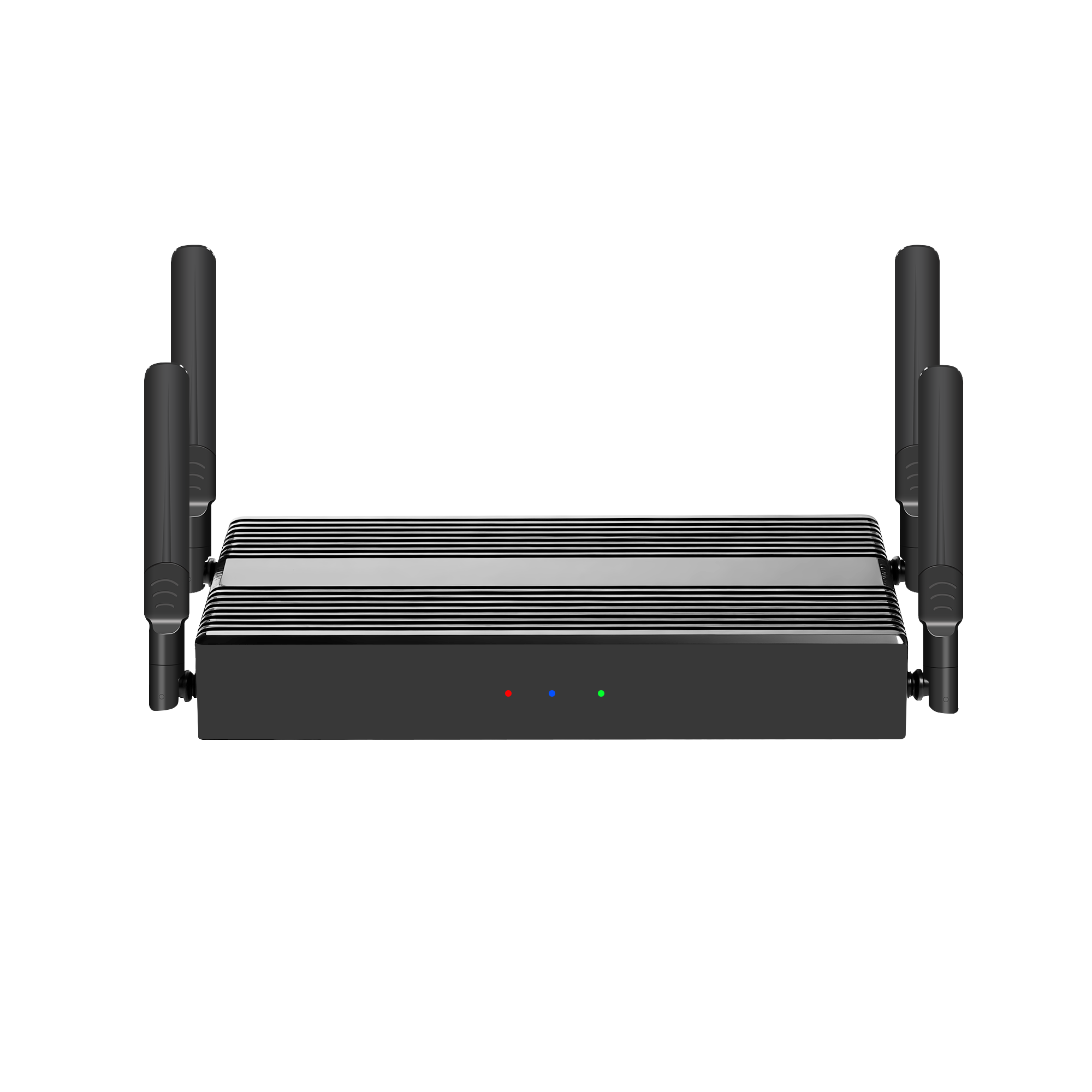
tranScreen Wireless Presentation is the wireless screen-sharing product line from Shenzhen tranScreen Technology Co., Ltd., a Shenzhen-based commercial wireless presentation supplier founded in 2014. The company reports a 4,000 m² factory, 50 employees, 120,000 units annual output, and a 30-engineer R and D team. Its portfolio includes wireless presentation receivers, USB-C and HDMI transmitters, wireless video matrix systems, presentation pens and mice, and a video collaboration server.
In an exhibition hall, the buyer is usually comparing three things at once: the number of sources that must appear on screen, the visual quality expected by visitors, and the operational risk of a failed demo. That makes hvq_2-style constraints more important than generic feature lists. Certification, resolution, frame rate, latency, connection count, and service terms should be checked before a supplier is shortlisted.
Why exhibition halls expose different constraints
An exhibition hall combines high visitor traffic, long operating hours, multiple presenters, and large-format displays. A showroom or sales center adds another constraint: the screen is part of the sales process, so a slow connection or a dropped signal is visible to customers. A meeting room can absorb a 20-second reconnect; an exhibition hall often cannot.
The main constraint categories are display topology, wireless concurrency, latency and stability, access control, certification, and serviceability. Each category changes the receiver and transmitter mix. A single 1080P receiver may be adequate for a small demo corner. A large exhibition wall with multiple windows, dual displays, and frequent presenter changes needs a different class of device.
- Display topology: one screen or multiple screens, mirrored or independent outputs, split-screen layout, and window count.
- Concurrency: how many presenters can connect, how many can cast at once, and how many streams are actually decoded and displayed.
- Latency and stability: measured conditions, distance, Wi-Fi band, wired backhaul, and recovery behaviour.
- Certification: which model is covered, in which market, and whether the certificate scope matches the tender requirement.
- Serviceability: transmitter pairing, firmware access, replacement terms, and remote support.
Display topology and 4K: the first buying constraint
The 4K Wireless Presentation PTB3219 is a useful reference point for exhibition-hall evaluation. It runs Android 11 with Wi-Fi 6 dual-band 2.4/5 GHz, supports up to 1201 Mbps hotspot speed, and allows up to 9 hotspot-connected devices. It provides one HDMI input up to 4K@30Hz and two HDMI outputs, with the main display up to 4K@60Hz and the secondary display up to 2K@60Hz. It supports 1/2/4/9 split-screen layouts and lists average latency below 150 ms at 10 m and 1080P, with visible transmission distance greater than 30 m at 1080P. BYOM support, touchback control, PIN code casting, welcome template, carousel, whiteboard, annotation, and file sharing are also listed.
That specification matters because exhibition halls often need two different things at once: a high-resolution main wall and a secondary confidence monitor or side display. A receiver with only one output forces the integrator to add a splitter or matrix, which adds cost and failure points. Dual outputs do not automatically mean independent content, however. The PTB3219 lists main and secondary outputs with different maximum resolutions, while the PTB3609 lists two 4K HDMI outputs carrying the same content. Buyers should confirm whether they need mirrored outputs or independent displays before comparing models.
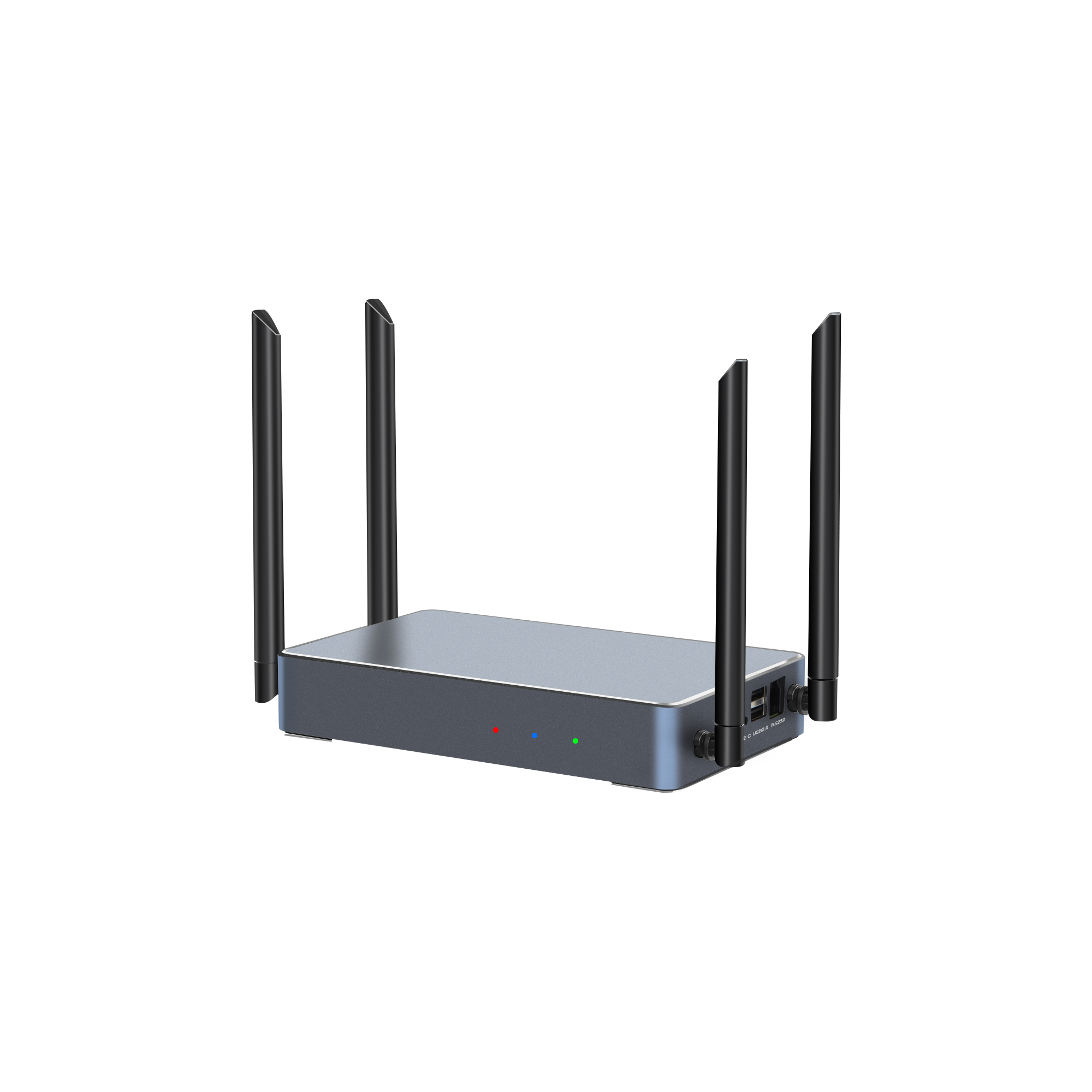
The PTB3609 Multi-screen Interactive Presentation takes a different position. It supports one 4K HDMI input and two 4K HDMI outputs with the same content, plus wireless casting of one true 4K stream, four 1080P streams, or nine 720P streams. Screen layouts include 1/2/4/9 split-screen. It operates on Android 11.0 with Wi-Fi 6 dual-band 2.4/5 GHz, lists average latency below 150 ms at 10 m and 1080P, and supports 10-point touchback for Windows and macOS. For an exhibition hall that needs a large interactive wall plus identical content on a second display, this mirrored-output design may be more appropriate than a dual-independent-output design.
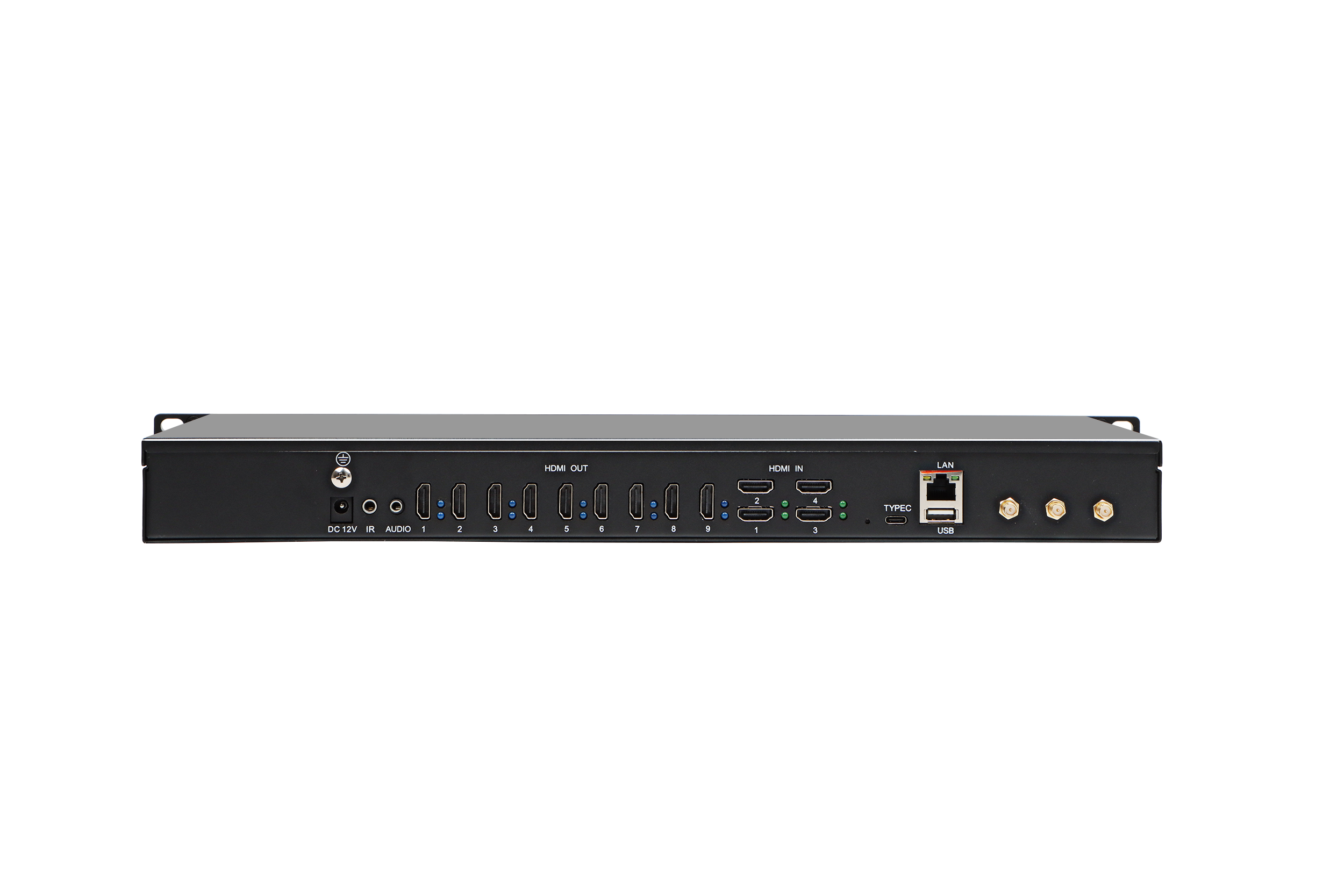
For very large spaces, the Wireless Video Matrix PTM6302 and Video Collaboration Server PTB8800 change the scale of the discussion. The PTM6302 provides four HDMI inputs, nine HD outputs, simultaneous wireless casting from four devices, up to eight wireless connection devices, up to four windows per display, and up to 36 freely positioned windows. Its wireless casting resolution is 1080P@30Hz. The PTB8800 supports up to 16 wireless screen mirroring devices, up to 32 simultaneous 1080P video streams, two 4K HDMI inputs, one 4K USB-C input, two HDMI outputs, one USB-C output, and HDMI OUT1 up to 7680 × 4320@60Hz. It also supports dual-port video wall stitching and up to 36 content windows. These are different tools: the matrix is a switching and windowing device, while the collaboration server is a large-format display and event platform.
Latency, stability, and the conditions behind the number
Low-latency wireless presentation claims are only useful when the test conditions are stated. The corpus gives conditional figures. The PTB3219 lists average latency below 150 ms at 10 m and 1080P. The PTB3609 lists the same condition. The PTB4615 Wireless Presentation Receiver lists average latency below 90 ms at 3 m and 1080P, with visible transmission distance greater than 30 m at 1080P. These numbers should not be read as universal guarantees. Distance, line of sight, Wi-Fi congestion, payload type, and receiver load all affect the result.
For exhibition-hall deployment, the stabilising factors are more important than a single best-case number. Wi-Fi 6 dual-band 2.4/5 GHz helps separate presenter traffic from visitor traffic. A 1000 Mbps Gigabit Ethernet port, where available, allows the receiver to sit on a wired backhaul instead of relying on the venue’s crowded wireless network. The PTB3219, PTB3609, and PTB8800 list Gigabit Ethernet; the PTB4615 lists a 100 Mbps Ethernet port. That difference matters when the receiver is expected to carry 4K or multi-window content across a managed network.
Transmitter startup time also affects the visitor experience. The PTB1312 Type C 4K BYOM Transmitter lists startup time of 15 seconds or less, dual-band Wi-Fi up to 867 Mbps, maximum transmission resolution 3840 × 2160, and a transmission frame rate of 30 fps or less. It supports USB Audio Class and a configurable button for freeze casting or BYOM source switching. The PTB1304 Type C 2K Transmitter lists startup time below 15 seconds and 1920 × 1080 transmission. The HDMI 2K Transmitter PTB1305 and HDMI 4K BYOM Transmitter PTB1308 follow the same plug-and-play logic for HDMI sources. In an exhibition hall, a 15-second startup is acceptable only if the presenter is briefed and the transmitter is already paired. It is not a substitute for standby mode and daily pre-opening checks.
Access control is part of stability. Local or server-based PIN code casting is listed for the PTB3609 and PTB3509. The PTB3219 lists PIN code casting, and the PTB4615 lists NFC one-touch casting. For public exhibitions, PIN code or host control prevents casual interference. For private showrooms, NFC or transmitter pairing reduces setup time. The right choice depends on who is allowed to cast, not on which feature sounds more advanced.
Certification is model-specific and market-specific
For a procurement team, certification is not a brand-level claim. It is a document-level check. The CE RED certificate in the corpus is issued under RED 2014/53/EU with certificate number BTEK250327137A02CE1 by Shenzhen BANTEK Testing Co., Ltd. It covers the Wireless Video Processor and lists models PTB3219, PTB3210, PTB3215, PTB3216, PTB3217, and PTB3218. It was issued on 2025-04-07. The RoHS Certificate of Compliance is numbered WEB260701013RCC, issued by Shenzhen Webb Testing Technology Co., Ltd. (WEBB) on 2026-07-07. It confirms compliance with Directive RoHS 2011/65/EU and amendment Directive (EU) 2015/863, permitting CE marking. The tested model is PTB3219, and the model list includes PTB3219C, PTB3210, PTB3409, PTB3509, and PTB3609. The applicable standards include IEC 62321-3-1:2013, IEC 62321-4:2013+AMD1:2017, IEC 62321-5:2013, IEC 62321-6:2015, IEC 62321-7-1:2015, IEC 62321-7-2:2017, and IEC 62321-8:2017.
The IMDA Equipment Registration for Singapore is number N6342-24 for the PTB3219 wireless video processor under the brand or trade name Transcreen. It is valid from 2024-10-28 to 2029-09-30, issued by the Info-communications Media Development Authority, under standard IMDA TS SRD, with the product registered under the Telecommunications (Dealers) Regulations. The NBTC Supplier’s Declaration of Conformity for Thailand is number SD05832-24, issued on 2024-12-12 under NBTC TS 1035-2562, with the scope listed as Wireless Video Processor.
| Document | Market | Scope in corpus |
|---|---|---|
| CE RED 2014/53/EU, certificate BTEK250327137A02CE1 | EU | Wireless Video Processor; models PTB3219, PTB3210, PTB3215, PTB3216, PTB3217, PTB3218 |
| RoHS certificate WEB260701013RCC | EU | Tested model PTB3219; model list includes PTB3219C, PTB3210, PTB3409, PTB3509, PTB3609 |
| IMDA Equipment Registration N6342-24 | Singapore | PTB3219 wireless video processor; valid 2024-10-28 to 2029-09-30 |
| NBTC SDoC SD05832-24 | Thailand | Wireless Video Processor; standard NBTC TS 1035-2562; issued 2024-12-12 |
A careful buyer will notice that the CE RED certificate does not list PTB3609, while the RoHS model list does. That does not mean the PTB3609 is uncertified; it means the certificate scope must be matched to the exact model and market requirement in the tender. For a Singapore exhibition project, the IMDA record in the corpus names PTB3219. For an EU project, the CE RED scope should be checked against the proposed model and the integrator’s compliance file. Certification is a constraint, not a marketing badge.
Price band: what the corpus can and cannot support
The corpus does not provide public list prices or a price band for the PTB3219, PTB3609, PTM6302, or PTB8800. A responsible procurement article should not invent one. What can be explained is the cost structure. The price band is driven by receiver class, transmitter count, output topology, matrix capacity, 4K versus 2K transmission, certification documentation, and OEM or ODM scope. A 2K single-output receiver kit and a 4K dual-output receiver with multi-window support are not comparable on unit price alone.
tranScreen’s capability statement lists hardware and software OEM/ODM, product logo and branding, packaging, UI customisation, low MOQ for new clients, small trial orders, and a lead time of 7 to 14 days after order confirmation, varying by quantity and production status. It also lists 100% testing, remote support, replacement, and a two-year warranty. For an exhibition-hall project, those terms matter as much as the wireless specification. A lower unit price with no spare transmitter and no remote support can be more expensive once the show opens.
A practical RFQ should ask for the receiver unit, the required transmitter mix, spare transmitters, mounting or display stand, firmware and UI customisation, certification copies for the target market, warranty terms, and the lead time for repeat orders. It should also ask whether the quoted model is the tested model on the certificate. That last question prevents a common tender problem: the certificate exists, but it covers a different model number.
Wireless presentation versus wired HDMI in an exhibition hall
Wired HDMI remains the reference for deterministic signal paths. It does not depend on radio conditions, and a known-good cable and matrix can run all day. Wireless presentation removes cable clutter, shortens presenter changeover, and allows laptops, tablets, and phones to share without adapters. The trade-off is that wireless performance depends on the venue’s RF environment and the receiver’s load.
| Criterion | Wired HDMI or matrix | Wireless presentation |
|---|---|---|
| Presenter changeover | Requires cable or connector access | Fast if transmitter pairing and PIN access are prepared |
| Signal certainty | High, subject to cable and matrix health | Dependent on Wi-Fi, distance, and receiver load |
| Multi-source display | Possible with a matrix, but input count is fixed | Supports multiple presenters and split layouts within device limits |
| 4K frame rate | Depends on cable, matrix, and display | PTB1312 lists 4K transmission at 30 fps or less; confirm motion content requirements |
| Cable clutter | Higher at presenter positions | Lower, but power and network cabling still required at the receiver |
The limitation should be stated plainly: wireless presentation is not a drop-in replacement for a deterministic wired control room or a radio-hostile hall. The PTB3219 and PTB3609 list latency below 150 ms at 10 m and 1080P, and the PTB4615 lists below 90 ms at 3 m and 1080P, but those are not guarantees for every venue. A hall with heavy Wi-Fi congestion, long cable runs, or metal structures may need a site survey, wired backhaul, directional antennas, or a hybrid wired-plus-wireless design.
Application fit: showrooms, demo rooms, and exhibition walls
The application-scenario corpus places wireless presentation in showrooms, experience centers, demonstration rooms, and exhibition-hall AV integration. A showroom needs 4K resolution, smooth playback, stable connection, fast switching, and multi-display support. A demo room needs fast connection, high image quality, easy operation, and reliable performance for frequent external visitors. Those requirements align with the PTB3219 and PTB3609 for medium and large rooms, and with the PTB8800 for large-format display and event environments.
The case corpus adds practical context. A Thailand distributor case with 10 units describes wireless presentation in meeting rooms, classrooms, and exhibition halls, with synchronous audio and video casting, one-to-multiple transmission, touchback, camera, and microphone signal support. A Japan distributor case with 5 units covers demo rooms and sales centers, with the stated result of cable-free meetings and classroom presentations and improved demonstration efficiency. A Brazil distributor case with 5 units describes adding wireless presentation, casting, and BYOM capabilities to displays through IFPD integration and OEM or SDK integration. These are distributor-reported cases, not independent laboratory tests, but they show where the product class is actually deployed.
Presentation accessories also matter in an exhibition hall. The PPT2105 Wireless Presentation Pen combines page turning, air mouse, spotlight, digital laser, magnifier, annotation, countdown reminder, and a physical laser, with a 30 m plus wireless range and more than 50 hours battery life. The PMS2402 Wireless Presentation Mouse lists 8 buttons, 120 hours battery life, and a 2.4 GHz wireless link with 10 m transmission distance in an open, interference-free environment. These are presenter tools, not the core video path, but they affect how confidently a host can move around a stand.
Procurement checklist for exhibition-hall wireless presentation
| Check | What to ask |
|---|---|
| Display topology | How many outputs, mirrored or independent, and what maximum resolution per output? |
| Concurrency | How many devices can connect, how many can cast at once, and how many streams are decoded on screen? |
| Latency conditions | At what distance, resolution, and Wi-Fi condition is the latency figure measured? |
| Network | Is Gigabit Ethernet available, and can the receiver use a wired backhaul? |
| Certification | Does the certificate name the exact model and target market? |
| Access control | Is PIN code, NFC, host control, or transmitter pairing required for public use? |
| Service | What is the warranty, spare-transmitter policy, remote support, and repeat-order lead time? |
Market trend: hardware still carries the category
Commercial research from DataIntelo estimates the global wireless presentation solutions market at 7.8 billion USD in 2025, with an expected rise to 14.2 billion USD by 2034 at a CAGR of 8.3 percent. The same source estimates that the hardware segment held a 52.1 percent revenue share in 2025. Grand View Research estimates that North America held a 33 percent revenue share of the wireless display market in 2023. These are third-party market estimates, not tranScreen performance data, but they explain why exhibition and large-venue deployments remain commercially relevant.
The direction of the category is also visible in product specifications. Wi-Fi 6, dual HDMI outputs, 4K transmission, BYOM workflows, multi-window layouts, and PIN code access are now part of professional wireless presentation discussions. The buyer’s task is to separate features that improve the exhibition experience from features that only look good on a specification sheet. A 9-split screen is useful when nine sources genuinely need to be compared. A 16-device connection figure is useful only if the receiver and network can support the intended simultaneous activity.
Future outlook
Exhibition-hall wireless presentation is likely to move in three directions: higher display resolution, more structured multi-user collaboration, and stronger procurement evidence. The PTB8800 already lists 8K output capability on HDMI OUT1 and up to 16 wireless mirroring devices, while noting that when 8K mode is active, HDMI OUT2 and USB-C OUT do not provide active pixel output. That caveat is an example of the kind of boundary condition buyers should expect to manage. Higher resolution does not remove the need to plan outputs, frame rates, and content windows.
Certification and documentation will remain part of the purchase decision. As无线 presentation becomes part of tenders rather than ad hoc meeting-room upgrades, buyers will ask for certificate scope, model mapping, EMC and radio compliance, and spare-parts commitments. The suppliers that can answer those questions clearly will be easier to qualify than those that only publish a feature list.
FAQ
What certifications should be checked for an exhibition-hall wireless presentation system?
Check the exact model and market. In the corpus, the PTB3219 is covered by CE RED certificate BTEK250327137A02CE1 for the EU, RoHS certificate WEB260701013RCC for the EU, and IMDA Equipment Registration N6342-24 for Singapore. The NBTC SDoC SD05832-24 covers a Wireless Video Processor scope for Thailand. A certificate for one model or market should not be assumed to cover another model or market.
How many presenters can an exhibition-hall system support at the same time?
It depends on the device and on the difference between connections and decoded streams. The PTB3219 lists up to 9 hotspot-connected devices and 1/2/4/9 split-screen layouts. The PTB3609 lists one true 4K stream, four 1080P streams, or nine 720P streams. The PTM6302 lists simultaneous wireless casting from four devices and up to eight wireless connection devices. The PTB8800 lists up to 16 wireless screen mirroring devices and up to 32 simultaneous 1080P video streams. Buyers should ask how many of those connections can be displayed at once under the planned layout.
What latency can be expected in an exhibition hall?
The corpus lists conditional figures, not universal guarantees. The PTB3219 and PTB3609 list average latency below 150 ms at 10 m and 1080P. The PTB4615 lists average latency below 90 ms at 3 m and 1080P. Real results depend on distance, Wi-Fi congestion, receiver load, and content type. A site survey and a live demo in the actual hall are more useful than a single headline number.
Can a wireless presentation system drive two displays in an exhibition stand?
Yes, but the output mode must be confirmed. The PTB3219 provides two HDMI outputs, with the main display up to 4K@60Hz and the secondary display up to 2K@60Hz. The PTB3609 provides two 4K HDMI outputs with the same content. The PTB8800 provides two HDMI outputs and one USB-C output, with HDMI OUT1 up to 7680 × 4320@60Hz and a stated limitation when 8K mode is active. Buyers should specify whether they need mirrored or independent displays before selecting a model.
What is the main limitation of wireless presentation in an exhibition hall?
The main limitation is dependence on the radio and network environment. A wireless system can reduce cable clutter and speed up presenter changes, but it is not a deterministic wired path. The PTB1312 lists 4K transmission at 30 fps or less, and latency figures are tied to stated distances and resolutions. Venues with heavy Wi-Fi traffic, metal structures, or long cable runs may need wired backhaul, additional access points, or a hybrid design.
Technical catalogue for reference and download: Catalog_EN_2.0.pdf
Tem questões ou precisa de mais detalhes?
Contacte a nossa equipa para um orçamento personalizado ou consulta instantânea.
Solicitar orçamento
Preencha o formulário abaixo e a nossa equipa entrará em contacto com uma proposta personalizada.
Chat direto do WhatsApp
Prefere conversar em tempo real? Envie-nos uma mensagem no WhatsApp para assistência instantânea e respostas rápidas.
- Obter orçamento personalizado
- Partilhar fotos ou documentos
- Discuta as suas necessidades diretamente
Geralmente responde em 5–30 minutos durante o horário de expediente.