{{ variable.name }}
One hand-held control for spotlight, annotation, magnifier, screenshot and one-click wireless casting, built on an aluminum alloy body with a ≤8 ms response time.
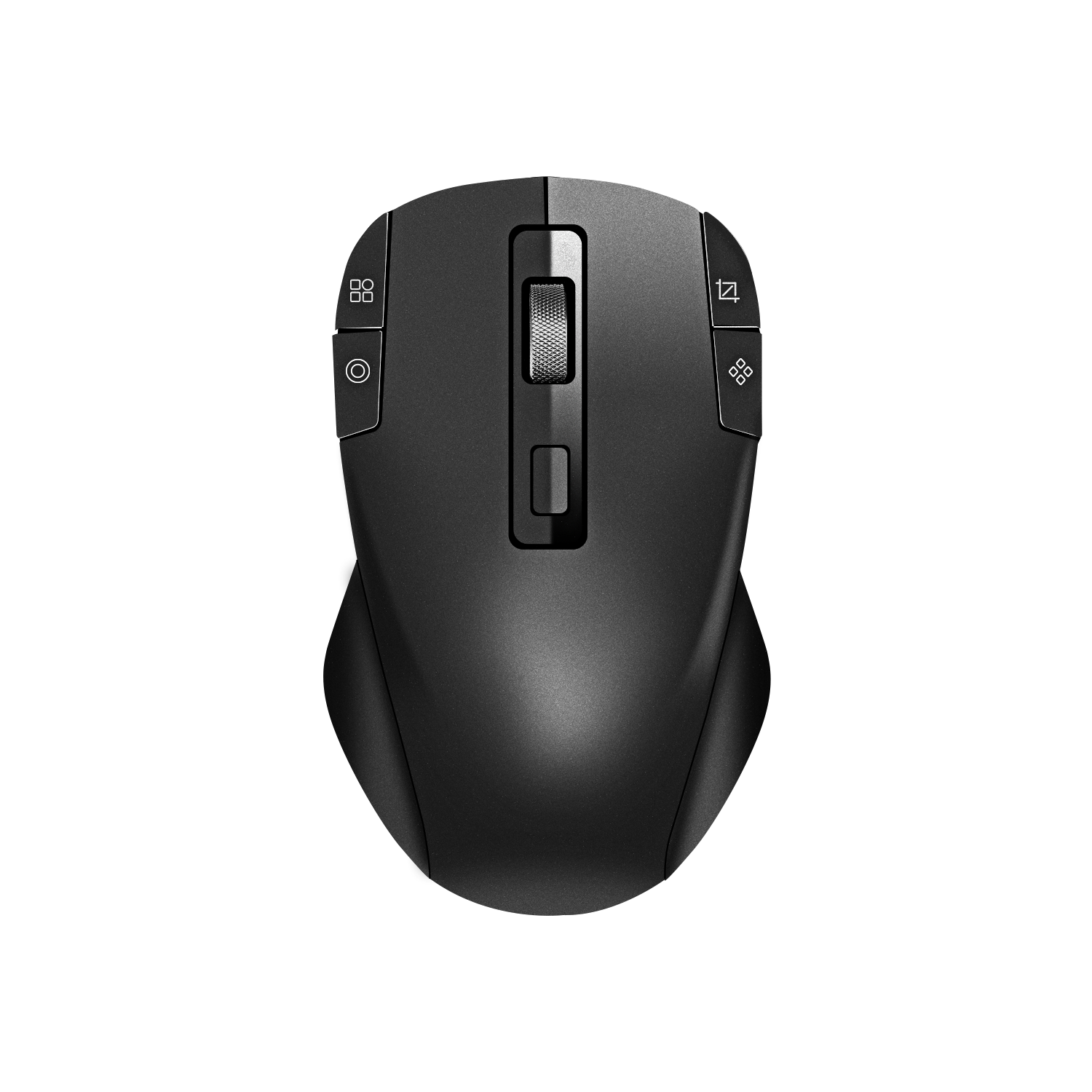
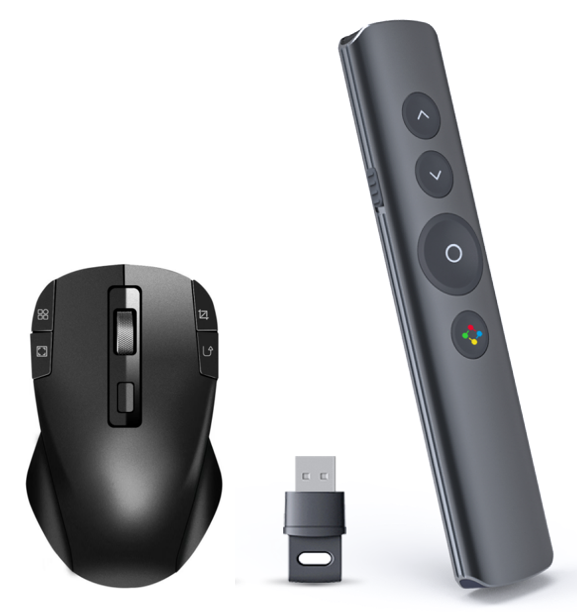
The PMS2402 wireless presentation mouse puts presentation control into the presenter's hand. Its 8 buttons map mouse control, spotlight, digital laser, magnifier, annotation, full-screen mode, screenshot and one-click wireless casting, so a presentation does not require a separate clicker and laser pointer. The aluminum alloy body measures 117×71×14 mm and weighs 78±2 g, and the 300 mAh battery provides up to 120 hours of battery life. Pointer response time is ≤8 ms, and sensitivity is adjustable from 800 to 2400 DPI over a 2.4 GHz wireless link with a 10 m transmission distance in an open, interference-free environment.
| Model | PMS2402 |
|---|---|
| Product type | Wireless presentation mouse |
| Wireless technology | 2.4 GHz |
| Transmission distance | 10 m (open, interference-free environment) |
| Compatible systems | Windows 7 / 8 / 10; macOS 12.X |
| Sensitivity | 800–2400 DPI |
| Polling rate | 250 Hz |
| Maximum IPS | 200 |
| Buttons | 8 |
| Presentation functions | Mouse control, spotlight, digital laser, magnifier, annotation, full-screen mode, screenshot, one-click wireless casting |
| Response time | ≤8 ms |
| Battery capacity | 300 mAh |
| Battery life | 120 hours |
| Dimensions | 117×71×14 mm |
| Weight | 78±2 g |
| Material | Aluminum alloy |
Specifications as published for model PMS2402. Transmission distance is quoted for an open, interference-free environment.
PMS2402 is the model covered by this specification. Buyers specify the configuration that matters for their deployment:
The housing is made of aluminum alloy. The body measures 117×71×14 mm and weighs 78±2 g, with 8 buttons carrying the presentation functions listed above. The 14 mm profile keeps the device low on a table or lectern, and the 300 mAh battery sits inside the same slim body so presenters carry one object instead of a clicker, a pointer and spare batteries.
The PMS2402 is intended for education, meetings, training and presentations. In practice it is used where a speaker needs to control slides while facing the audience: meeting rooms and boardrooms, classrooms and training rooms, and product demonstration areas in showrooms or sales centers. It is also relevant to AV projects where wireless presentation capability is integrated into interactive flat panels, professional displays, LED walls or projectors.
The presentation mouse is part of tranScreen's presentation and collaboration range, supplied alongside wireless screen sharing systems, transmitters and AV accessories.
A distributor in Japan deployed 5 units in customer demonstration rooms and sales centers, covering wireless presentation, video demonstration and screen sharing. The installation has been in service for 3 years. According to the deployment record, the setup supports cable-free meetings and classroom presentations in demo rooms and sales centers and improved demonstration efficiency, with low latency and smooth playback noted as the key highlight.
tranScreen develops and manufactures its wireless interaction products in-house and offers both standardized products and customized hardware and software for partners and customers with specific requirements. Distributors and integrators who need adaptations for a particular market or project can contact the team to discuss the requirement and the most suitable configuration.
What can the 8 buttons do during a presentation?
They map mouse control, spotlight, digital laser, magnifier, annotation, full-screen mode, screenshot and one-click wireless casting. That replaces the usual combination of a clicker and a separate pointer.
Which operating systems does the PMS2402 support?
Windows 7, Windows 8, Windows 10 and macOS 12.X.
How far can a presenter move from the laptop?
The 2.4 GHz wireless link is specified at a 10 m transmission distance in an open, interference-free environment. Real range depends on the room and on local radio interference.
How fast does the pointer respond?
Response time is ≤8 ms, with a 250 Hz polling rate and a maximum IPS of 200, so annotation and cursor movement stay aligned with the speaker's hand.
Can the sensitivity be adjusted?
Yes. Sensitivity is adjustable from 800 to 2400 DPI, which allows fine cursor control on large displays or faster movement across the screen.
How long does the battery last?
The 300 mAh battery provides up to 120 hours of battery life, which covers several training days or road shows between charges.
Is it suitable for classrooms and training rooms?
The product is designed for education, meetings, training and presentations. In classroom and training deployments it is used together with the room's display or interactive flat panel so teachers can annotate and switch views while facing students.
Can distributors request a customized version?
tranScreen offers standardized products as well as customized hardware and software for partners. Contact the sales team with the target market and requirement so the appropriate configuration can be discussed.
For pricing, sample requests, technical documentation or project configuration of the PMS2402 wireless presentation mouse, contact Shenzhen tranScreen Technology Co.,Ltd.
Email: maggie@transcreen.com · nealy@transcreen.com
WhatsApp / Tel: +86 191 2931 0906 · +86 191 2931 0965
Address: Room B322 3/F, Block B, No. 168, BAO Yuan Road, BAO An District, Shenzhen, Guangdong Province, China, 518102
Website: www.transcreen.com