Feature
Product Characteristics
- Supports one 8K60 signal input, with the option to choose between HDMI 2.1 and DP 1.4, offering diverse interface options to ensure clear images with rich details.
- Supports up to 15 channels of HDMI interface, outputting resolutions of 1920×1200@60Hz, 1920×1080@60Hz, compatible with multiple display devices and resolution requirements, and can be flexibly adjusted according to specific application needs and device configurations, providing more choices and adaptability.
- Support RS232 docking with central control, web control of network port can be directly accessed through a browser, compatible with operating systems such as Windows, Android, iOS, macOS, Linux, HarmonyOS, etc. Support providing APIs for secondary development.
- Support M×N (M, N≤15, MN≤15) multiple point‑to‑point splicing, without stretching or deformation, with a wider field of view.
- Supporting the use of multiple parallel devices with independent graphics cards, expanding the number of output channels, and ensuring real‑time display requirements for large screens.
- Support output channel replication and backup, fully utilize all physical interfaces, and turn idle interfaces into hot backup resources.
- Support output first row rotation of 180 °. When the first row display unit of the splicing wall is inverted, the image direction can be automatically corrected, making installation more flexible and the line of sight more uniform. It can reduce the physical seam to the narrowest size, greatly improving visual immersion.
- Support DHCP automatic acquisition and manual setting of IP addresses, flexibly adapting to different network environments.
- Support HDMI CEC protocol (Controls the power‑on and standby of display devices), achieve intelligent linkage and one click control with display devices, greatly simplify system operation, and create a clean and efficient user experience.
- Supports EDID management and flexible input resolution management via the web interface;
- Supporting Bezel Setup, the parameters of each output channel (corresponding to each screen) can be independently fine tuned to solve the problem of image misalignment and fragmentation caused by screen border occlusion and installation errors. Whether it is a straight line crossing the screen or a flowing video, it can maintain absolute coherence and create an immersive visual experience.
- Supporting network wake‑up and software command power on/off, realizing remote centralized control and intelligent energy consumption management of devices, is an essential function of modern and efficient operation and maintenance systems.
- Adopting a high‑end programmable FPGA chip with 28nm technology and a fully hardware real‑time processing architecture, the processing speed is ultra fast without delay.
- Industrial grade design, thickened 6‑layer PCB board, 16KV super anti‑static ability, super product stability.
- Low power, energy‑saving and environmentally friendly design, equipped with overheating protection and anti‑interference design, using 18W thermal conductivity material, internal heat dissipation, ensuring long‑term stable operation of the equipment, suitable for long‑term use in various environments.
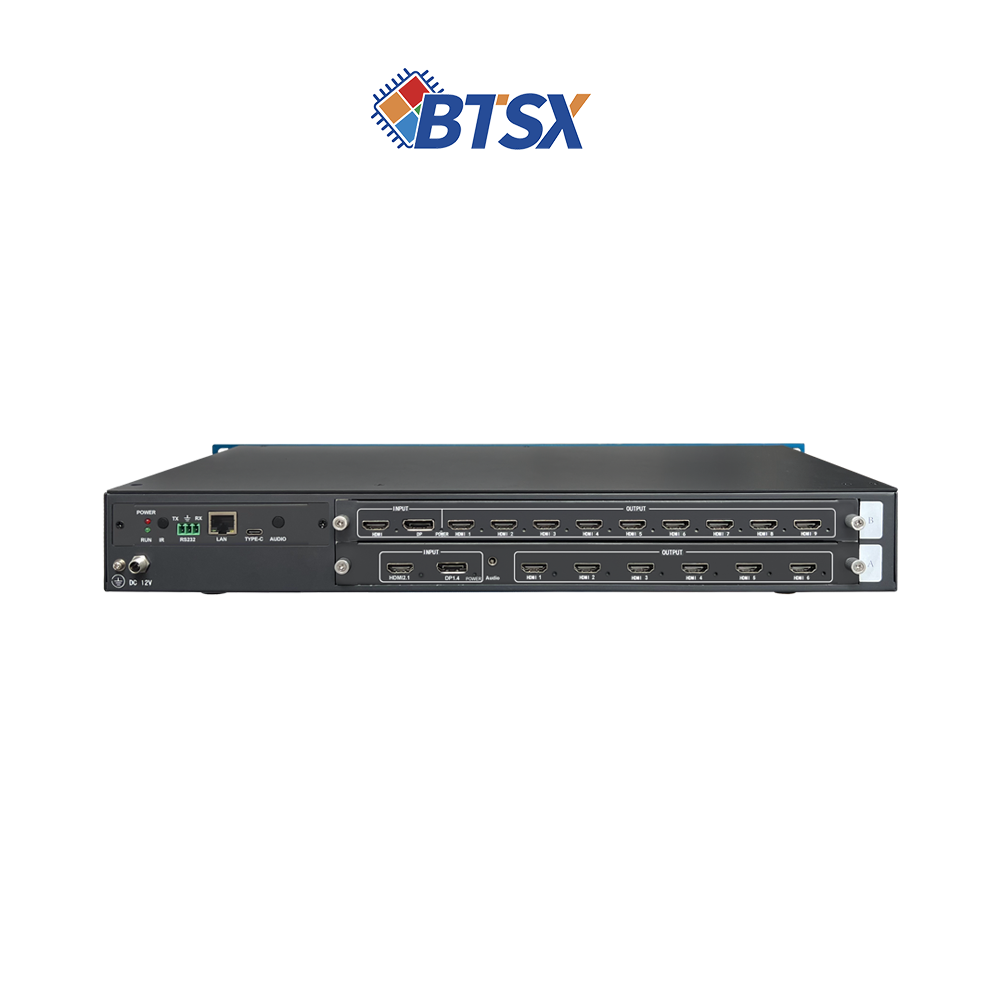
BIT-WWC-8K60Y-115Pro-Main-EN
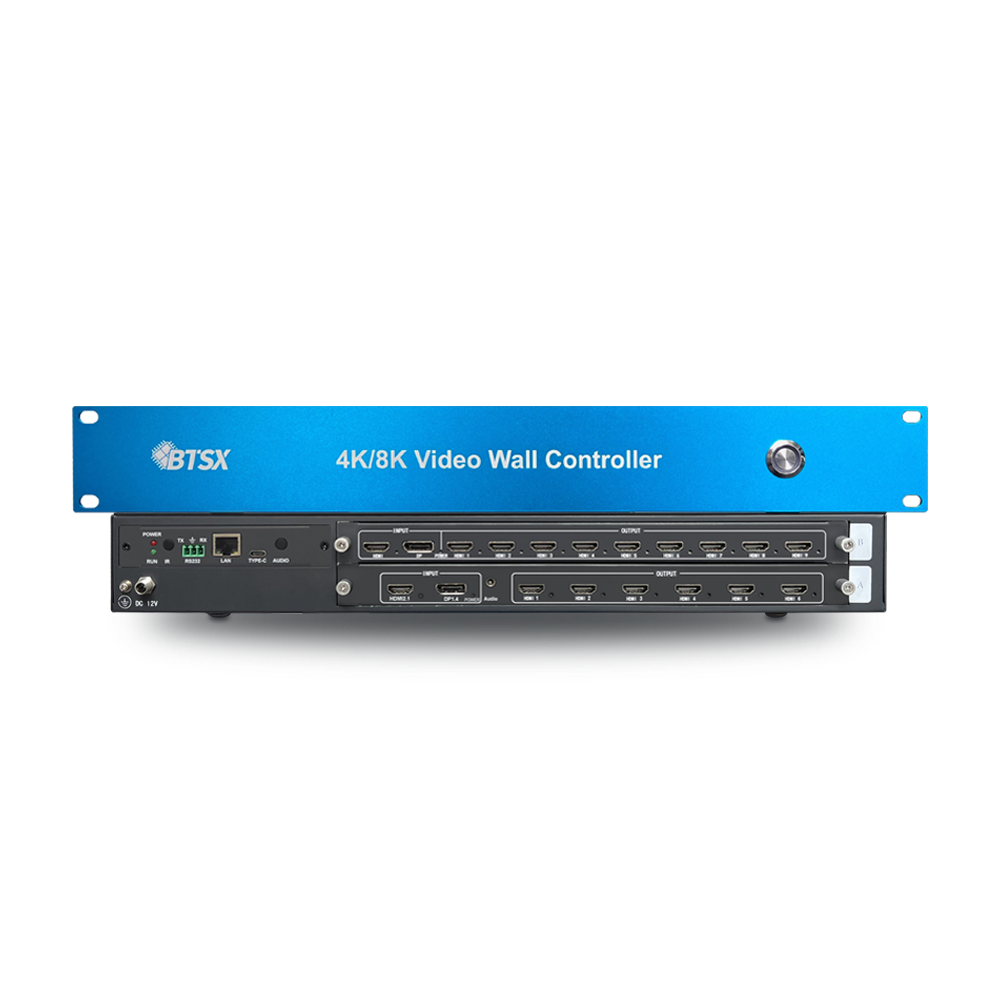
BIT-WWC-8K60Y-115Pro-Main-EN
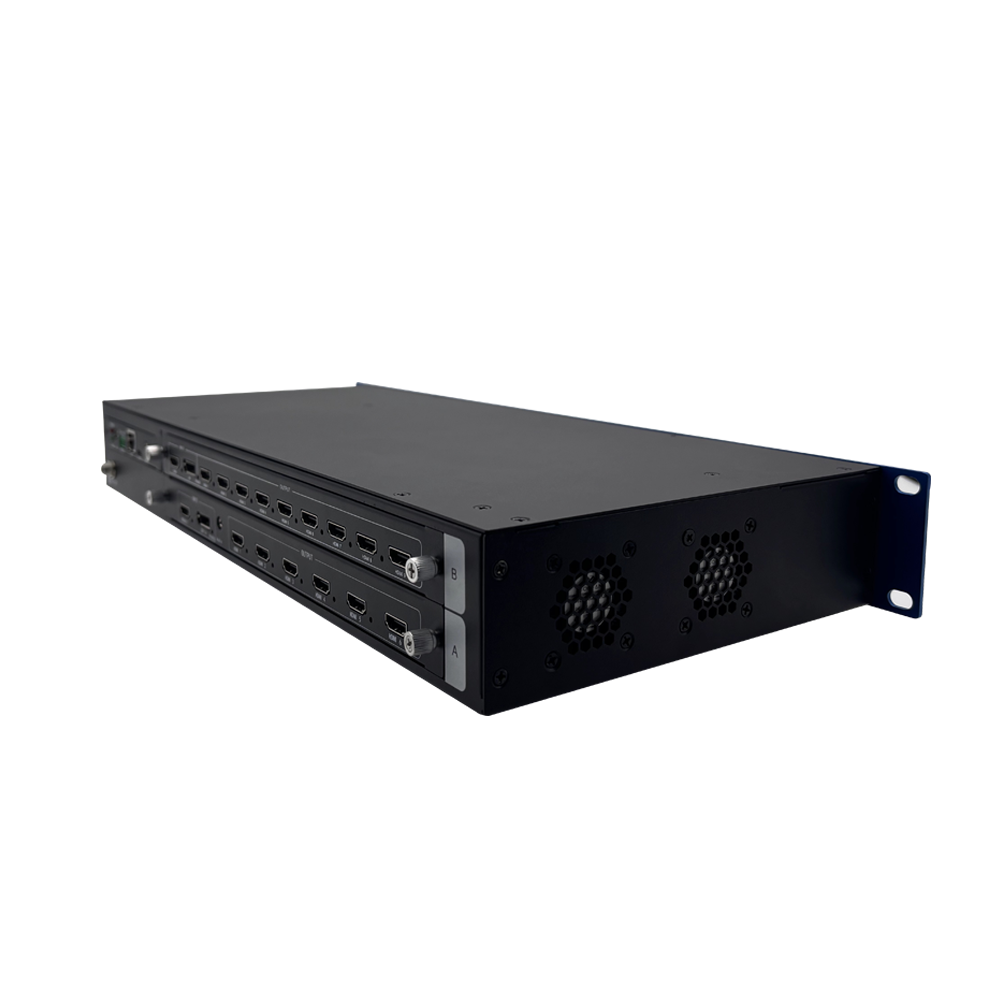
BIT-WWC-8K60Y-115Pro-Main-EN
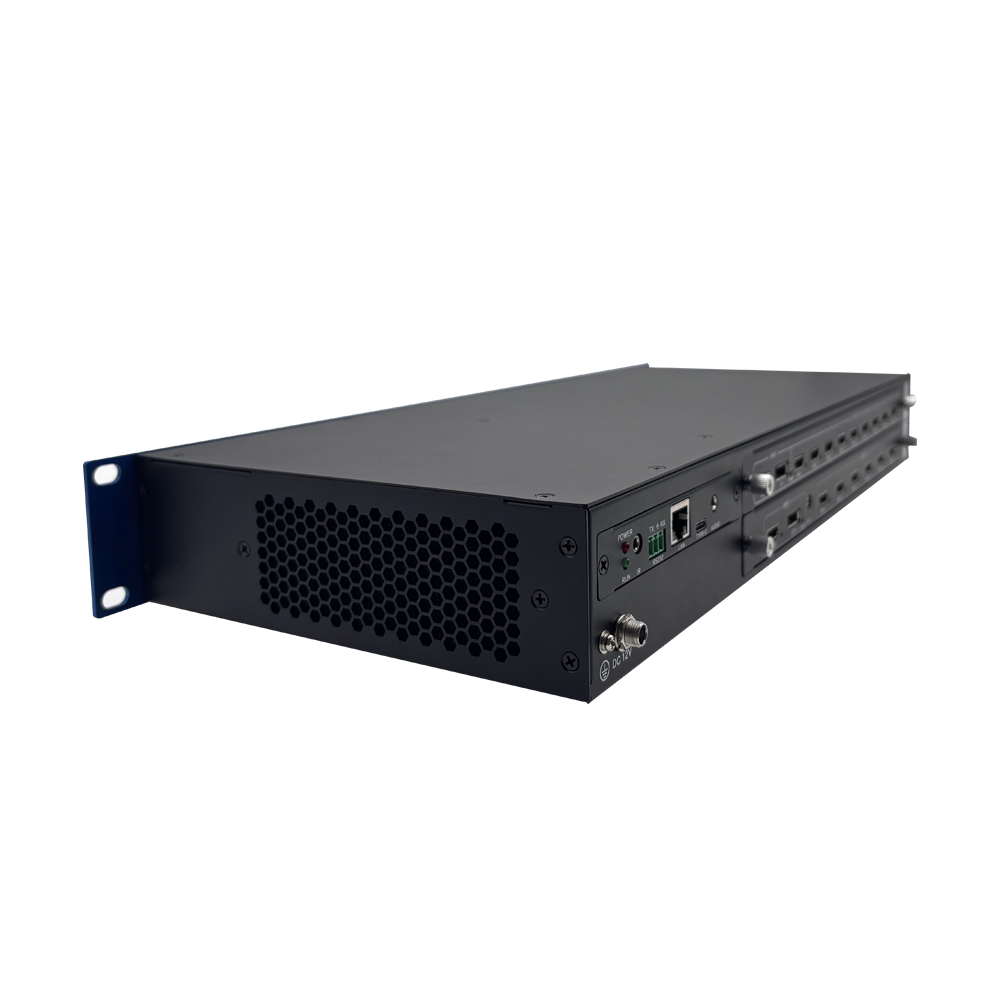
BIT-WWC-8K60Y-115Pro-Main-EN
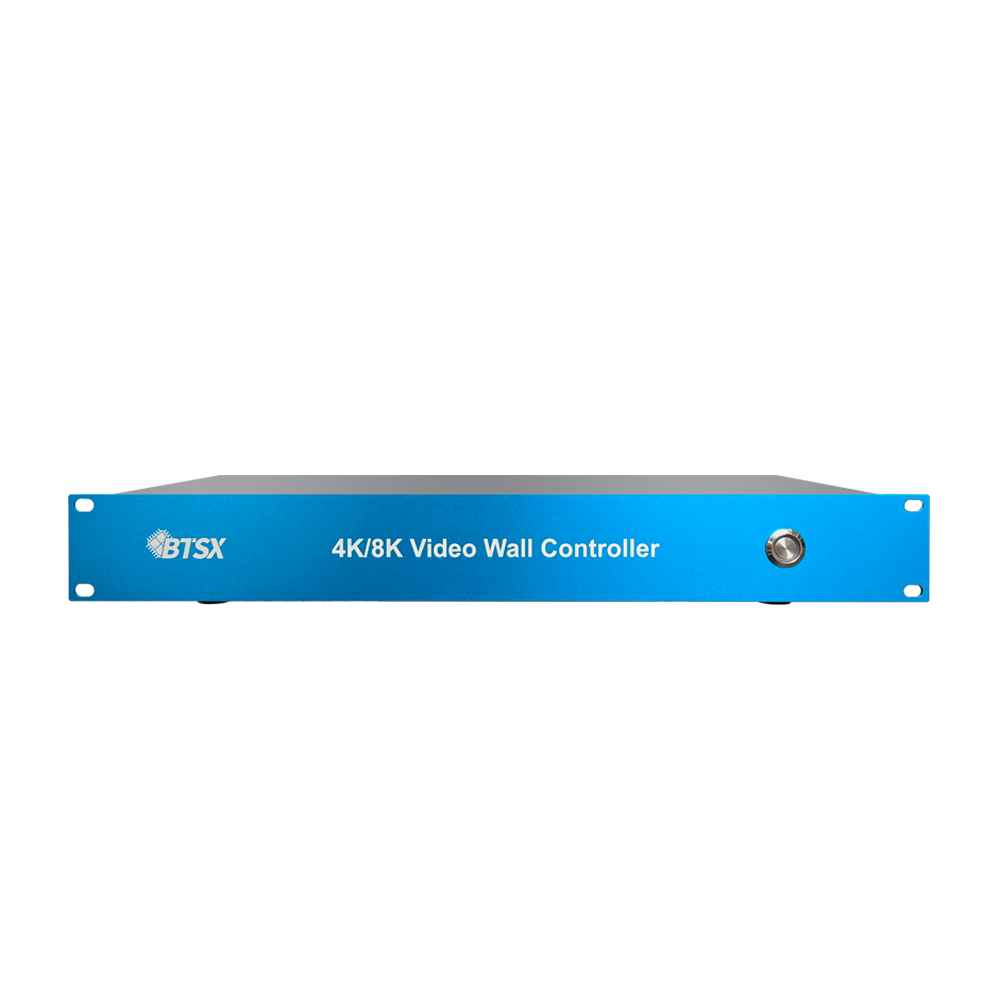
BIT-WWC-8K60Y-115Pro-Main-EN
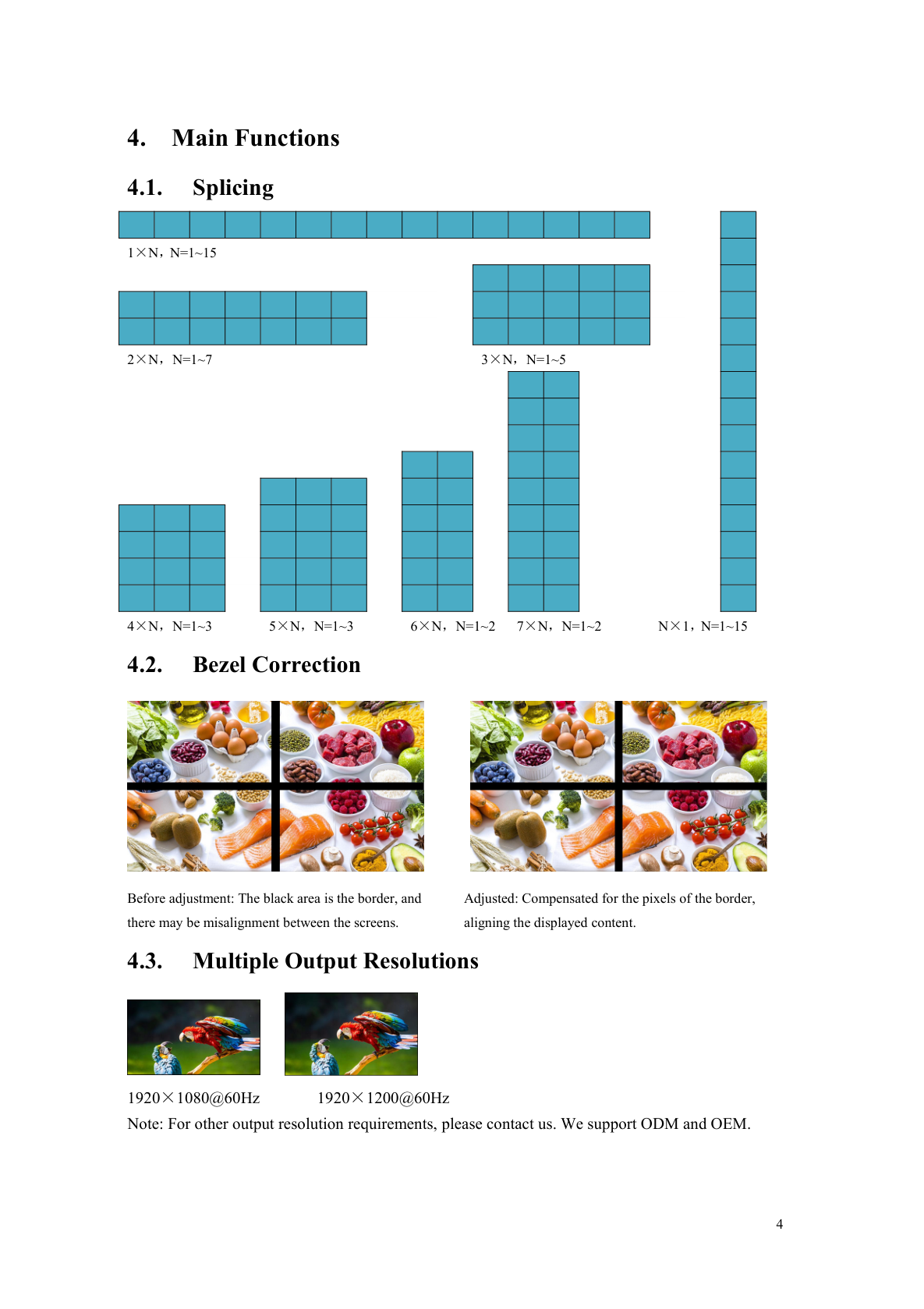
BIT-VWC-8K60Y-115Pro-User Manual-Multiple Output Resolutions
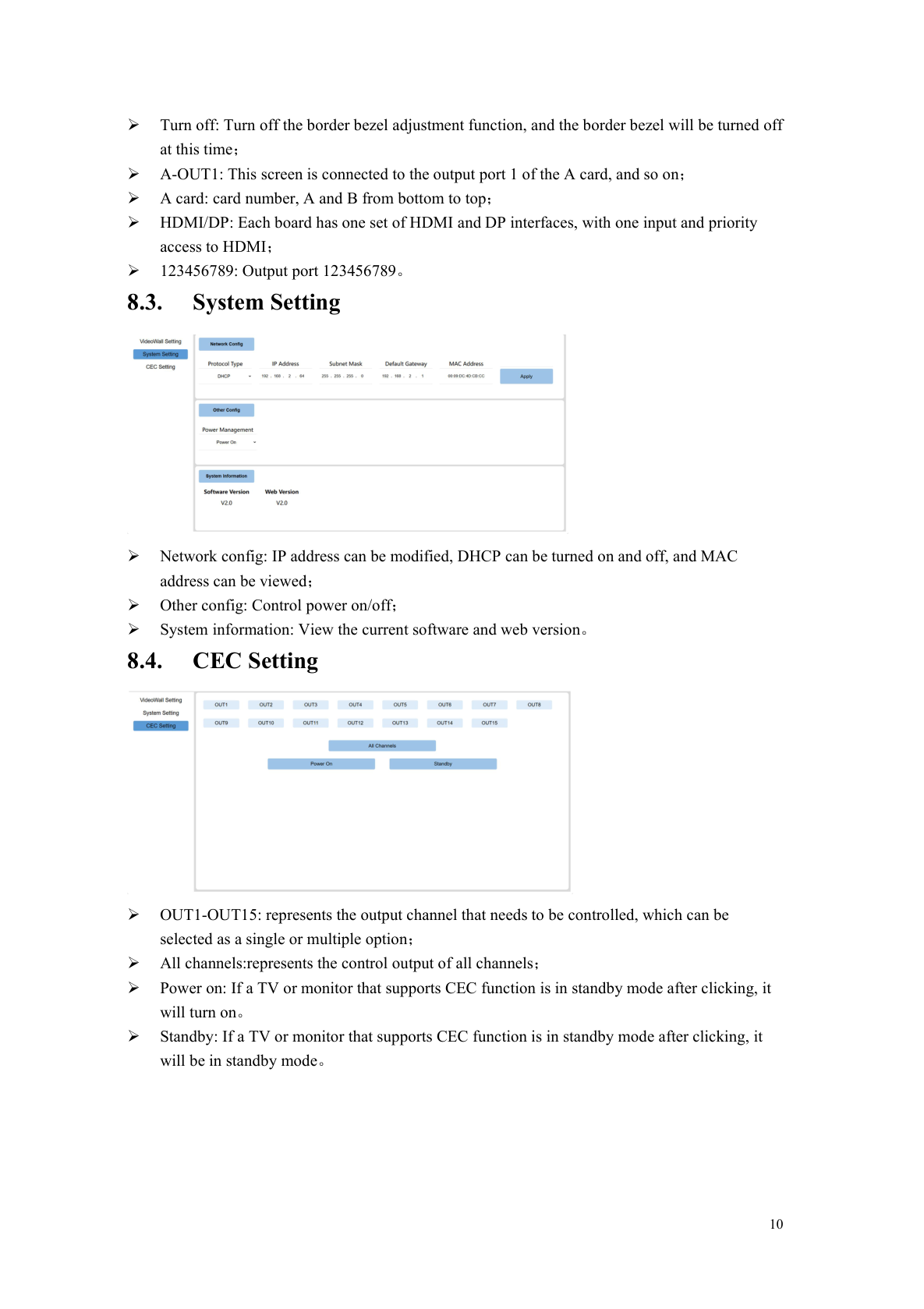
BIT-VWC-8K60Y-115Pro-User Manual-CEC Setting
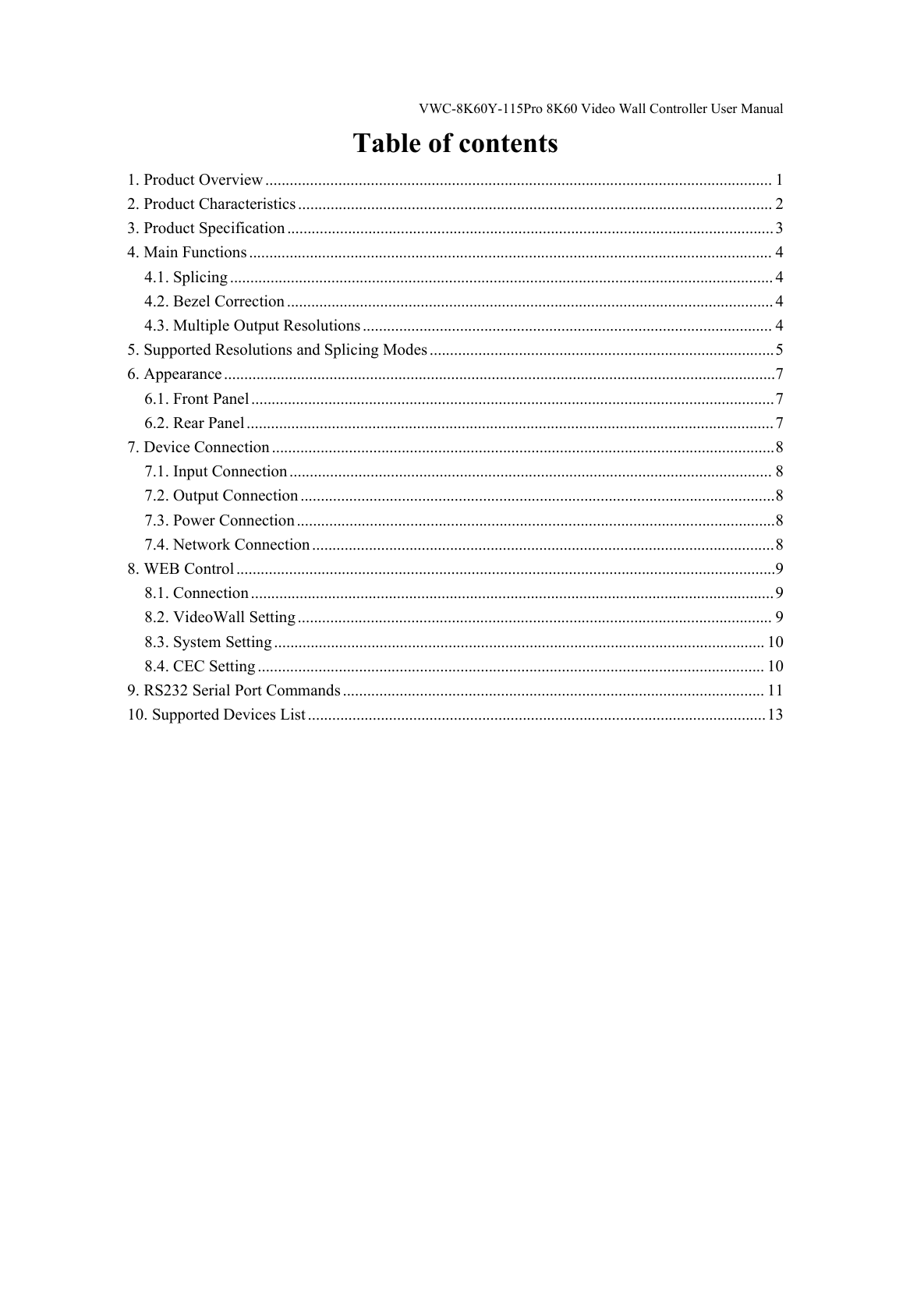
BIT-VWC-8K60Y-115Pro-User Manual-Table of Contents
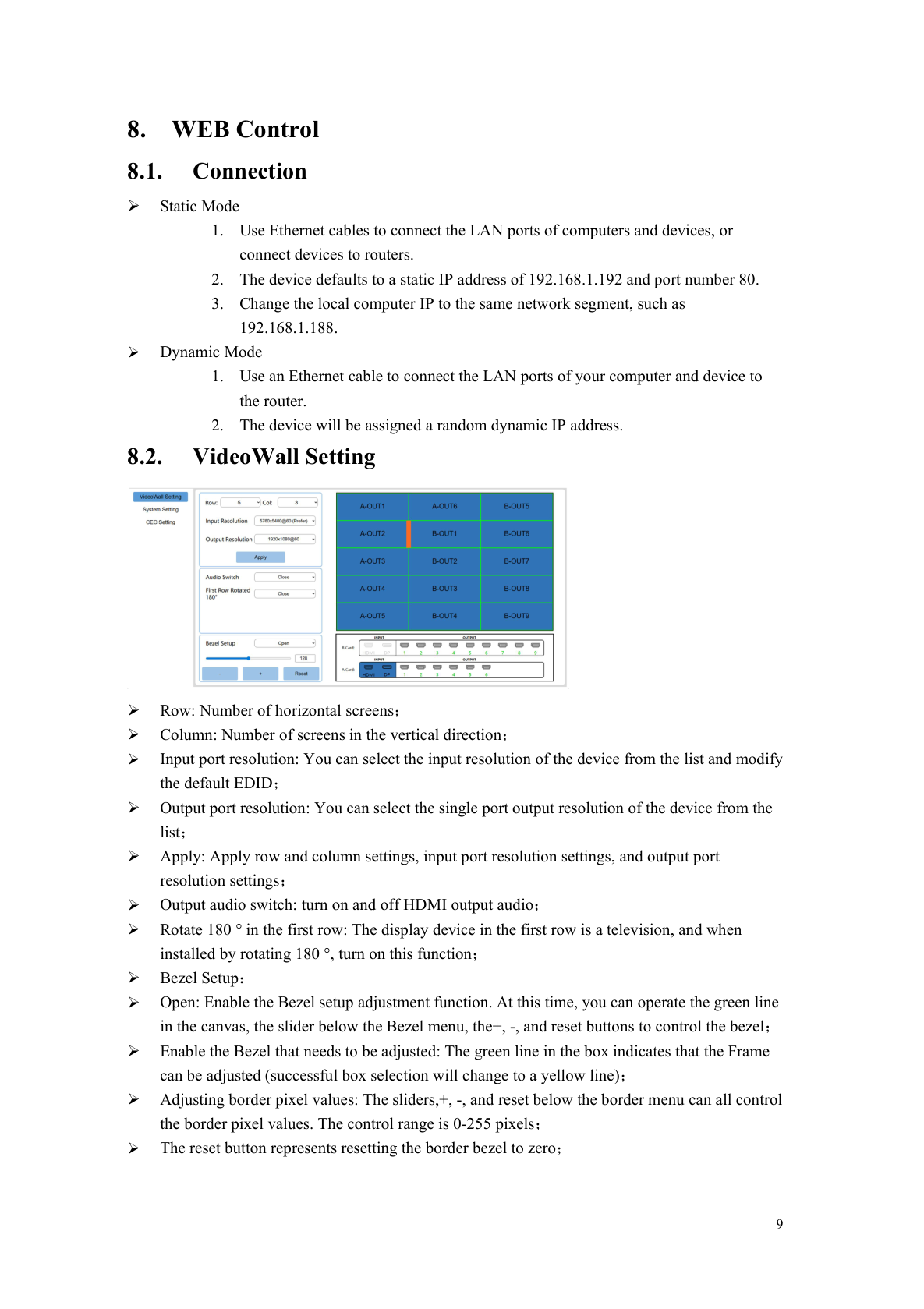
BIT-VWC-8K60Y-115Pro-User Manual-VideoWall Setting
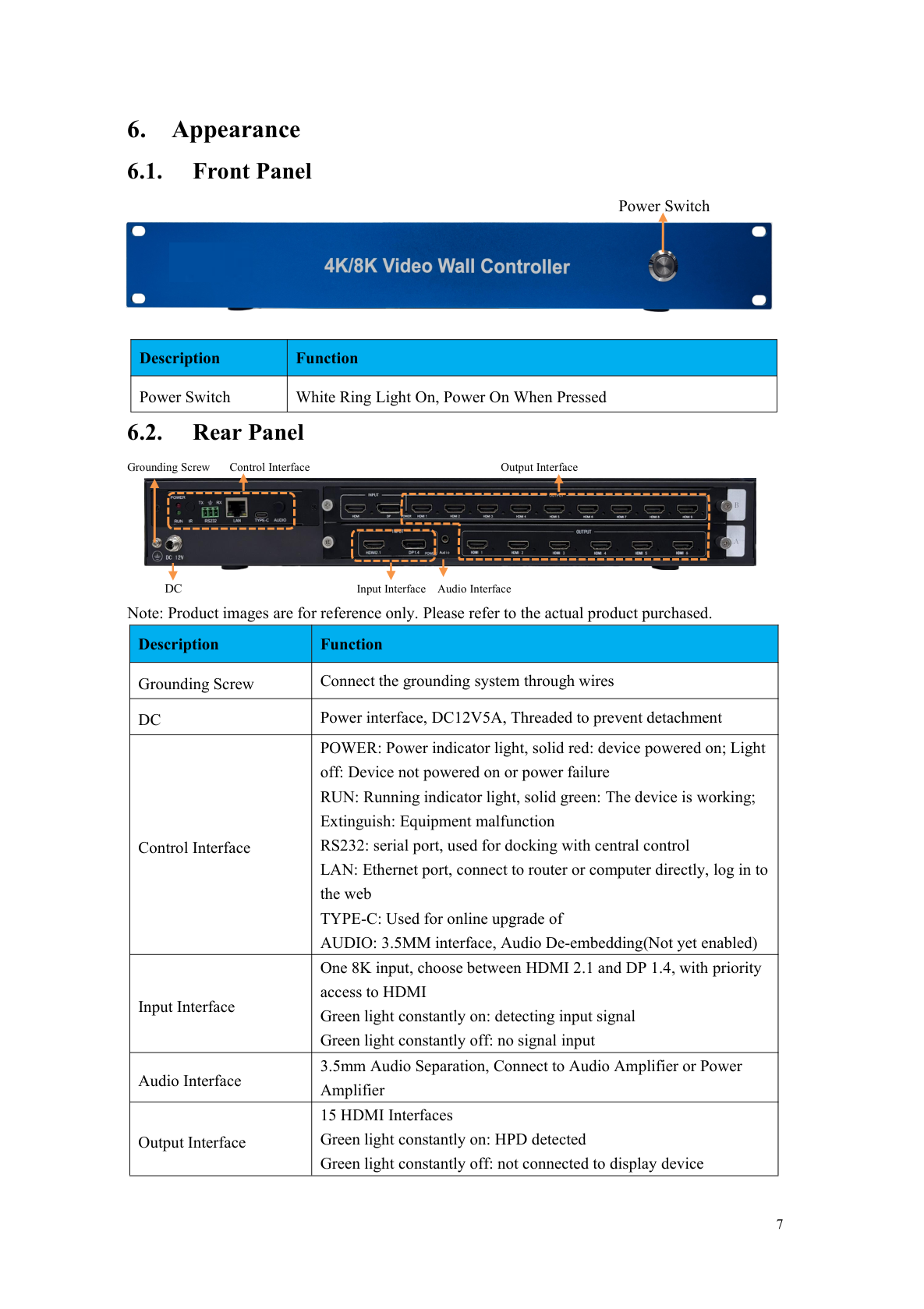
BIT-VWC-8K60Y-115Pro-User Manual-Rear Panel
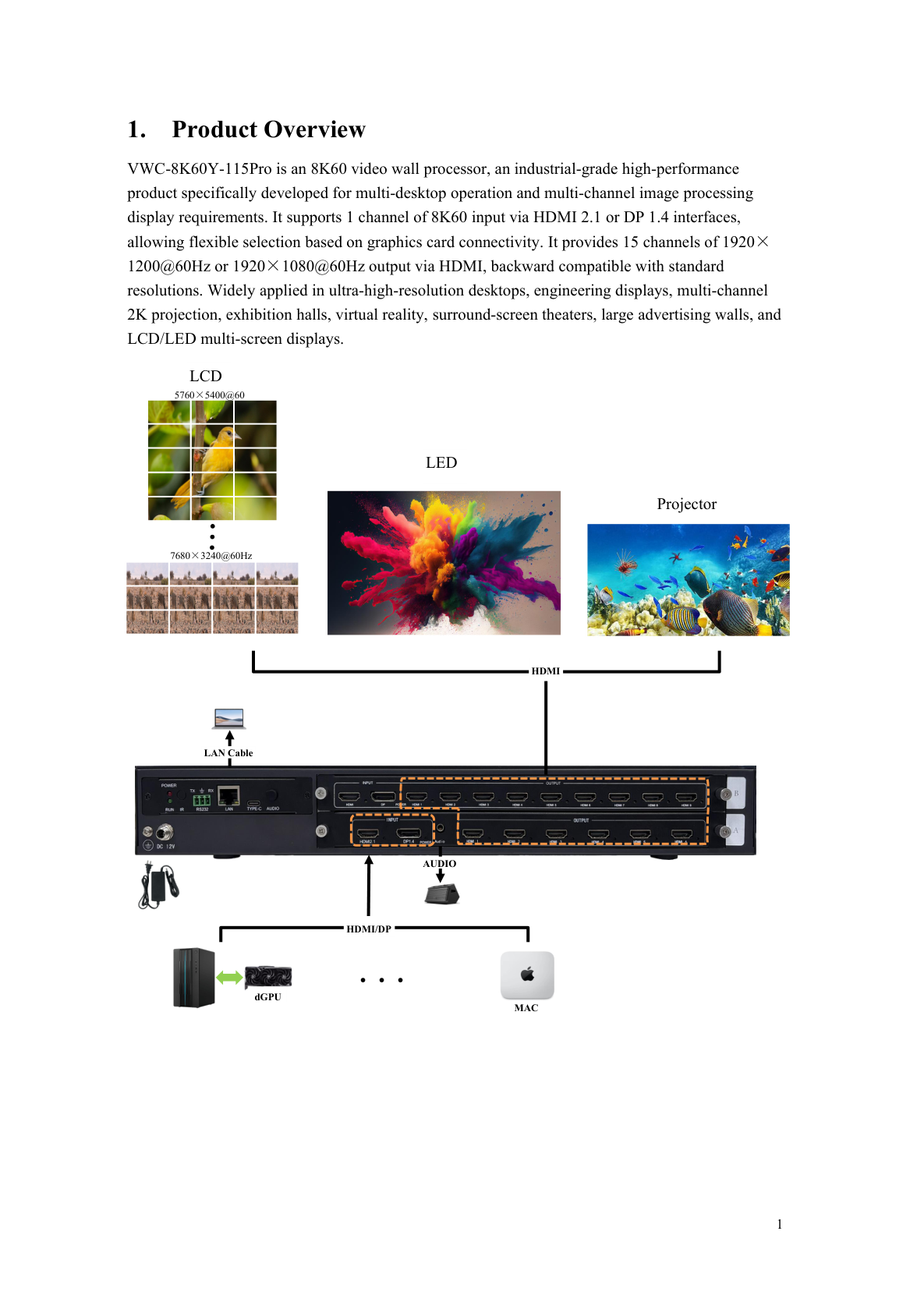
BIT-VWC-8K60Y-115Pro-User Manual-Product Overview
BIT-VWC-8K60Y-115Pro-User Manual-Cover
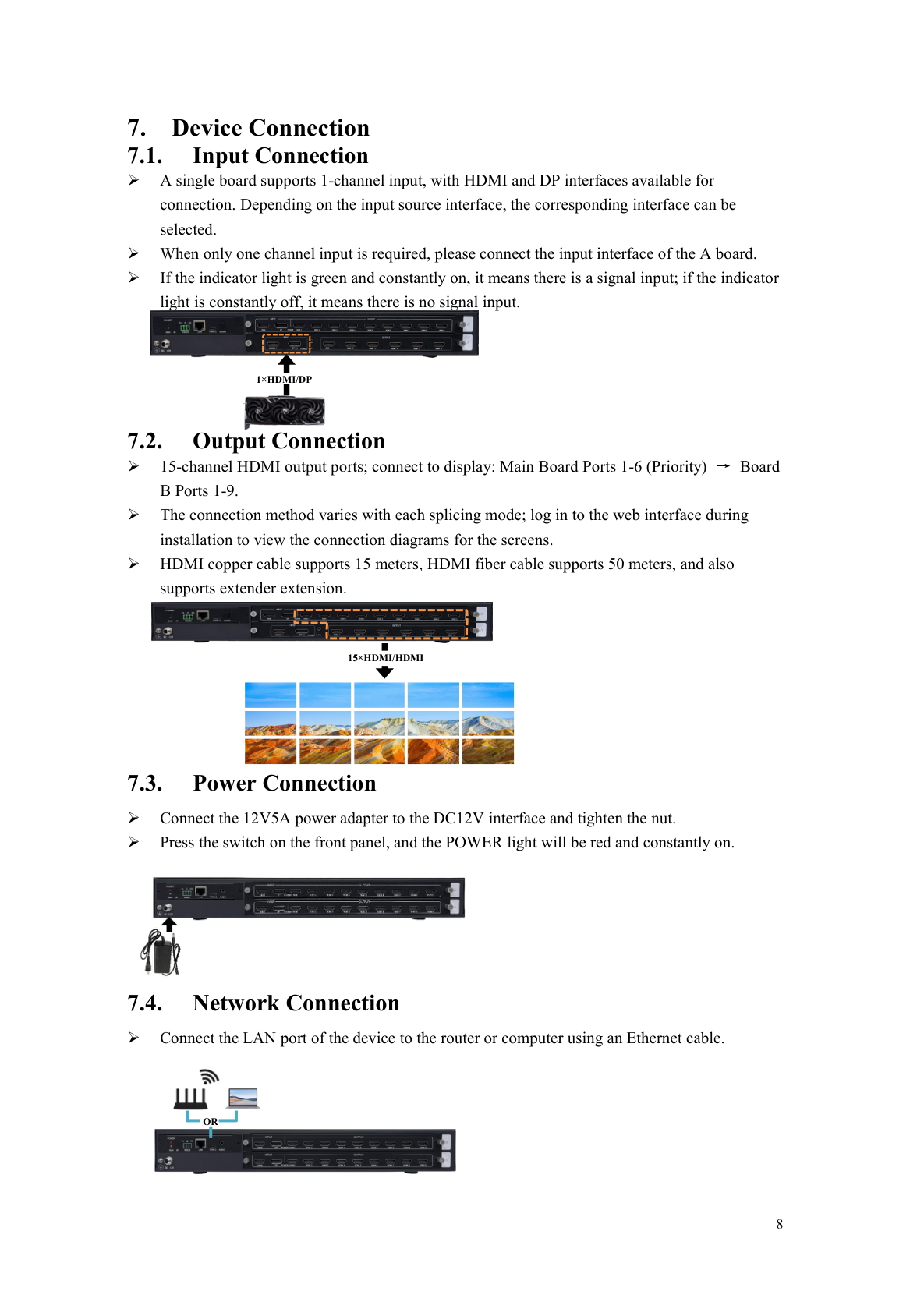
BIT-VWC-8K60Y-115Pro-User Manual-Network Connection
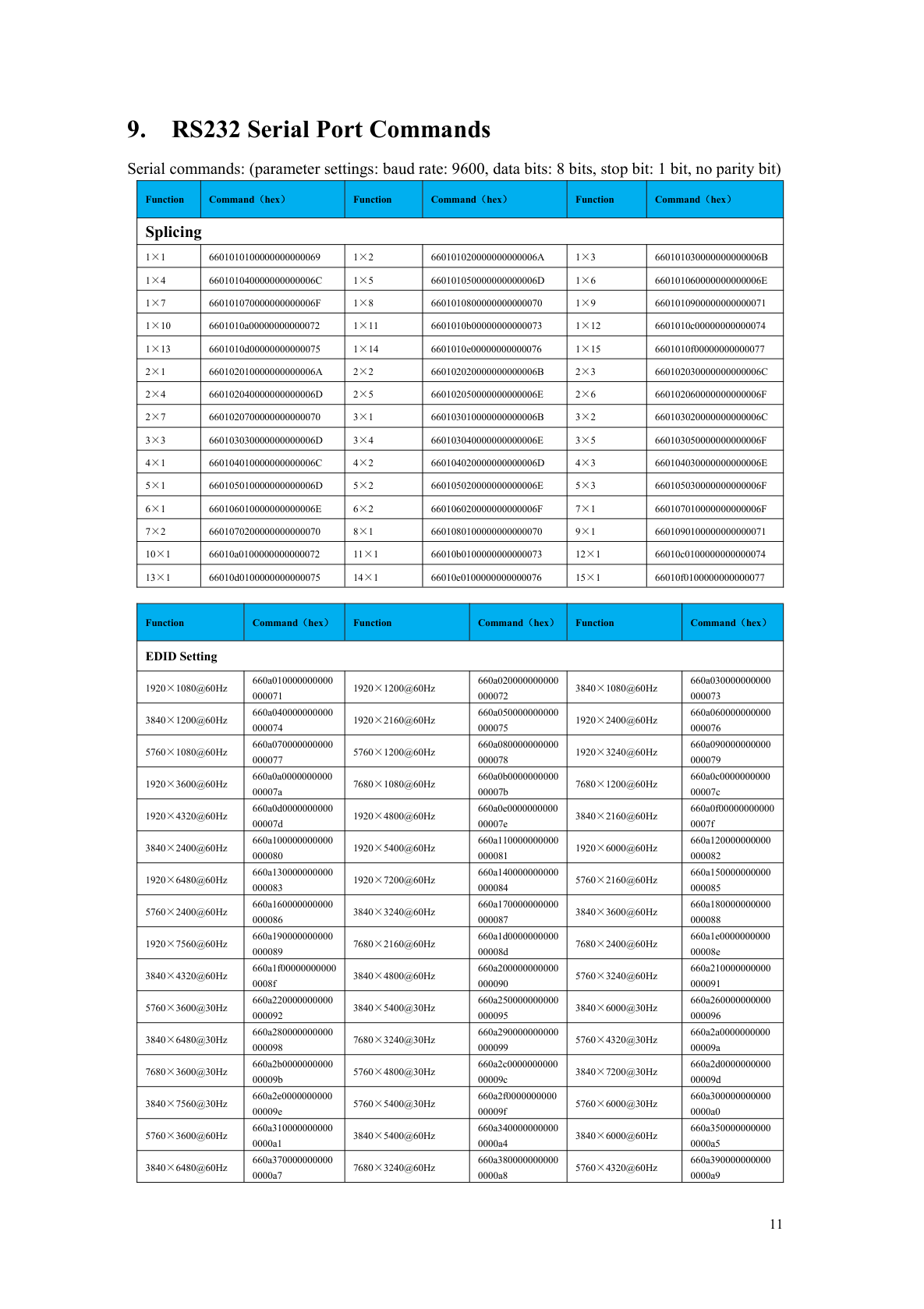
BIT-VWC-8K60Y-115Pro-User Manual-RS232 Serial Port Commands
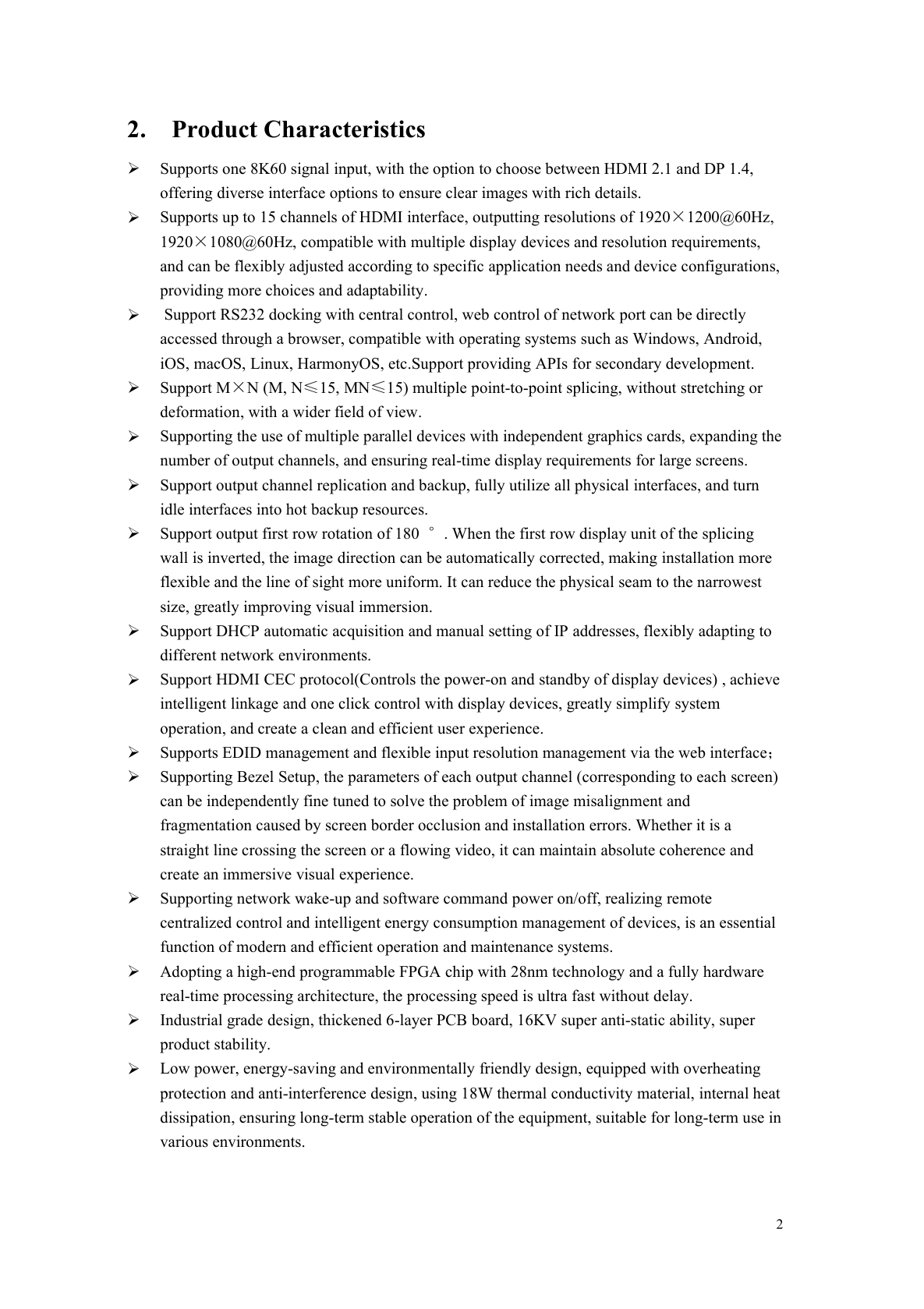
BIT-VWC-8K60Y-115Pro-User Manual-Product Characteristics
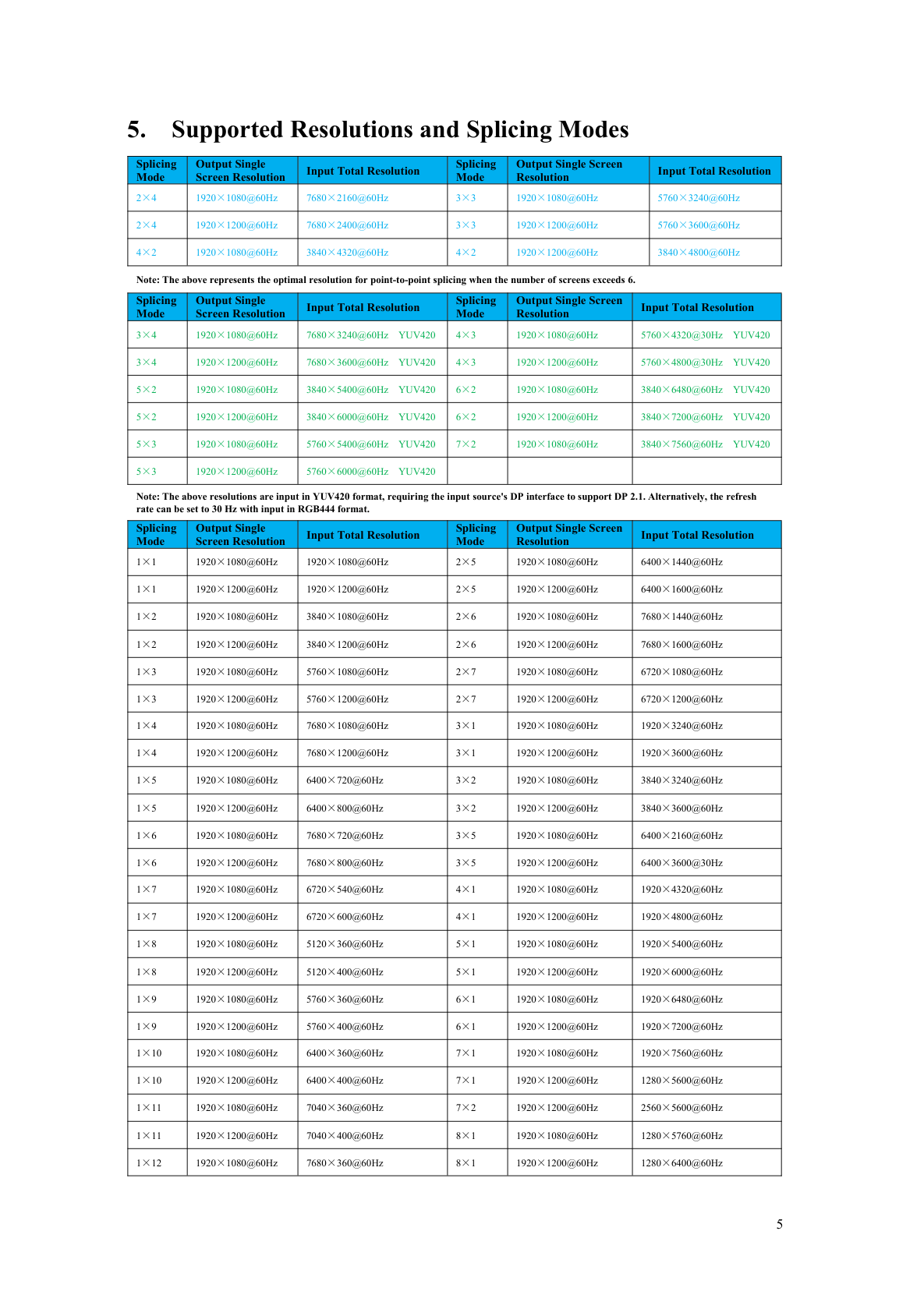
BIT-VWC-8K60Y-115Pro-User Manual-Supported Resolutions and Splicing Modes
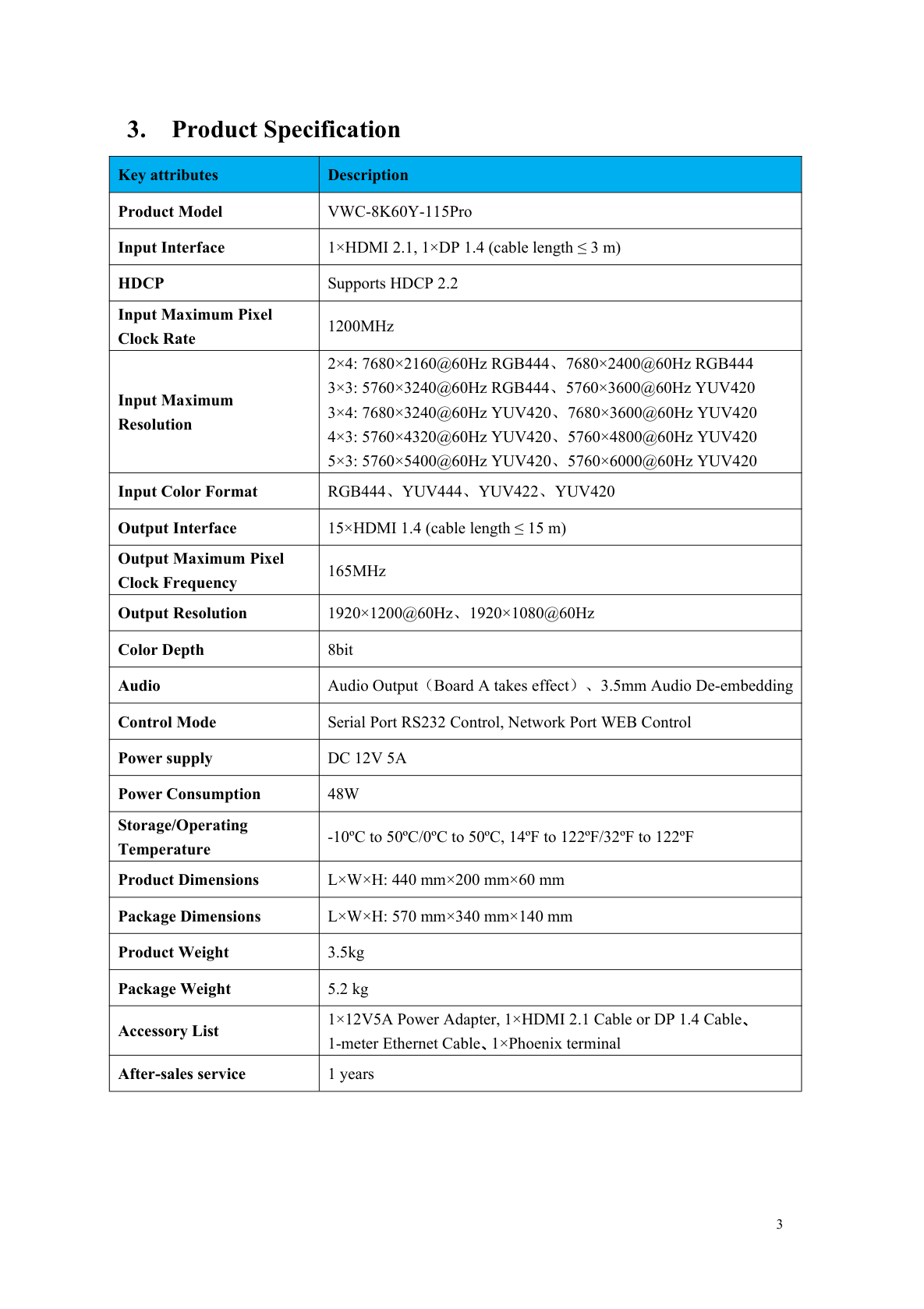
BIT-VWC-8K60Y-115Pro-User Manual-Product Specification
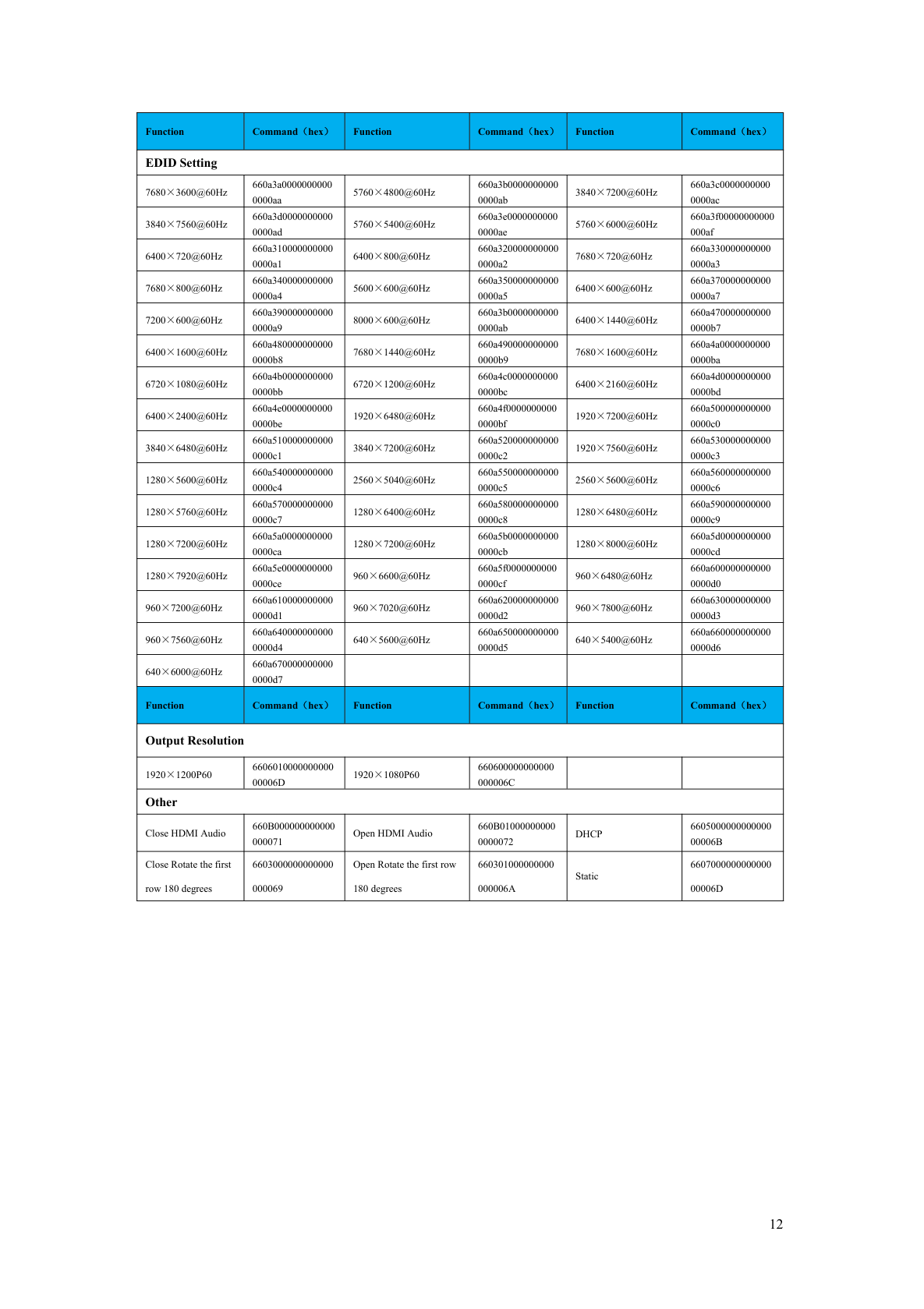
BIT-VWC-8K60Y-115Pro-User Manual-RS232 Serial Port Commands
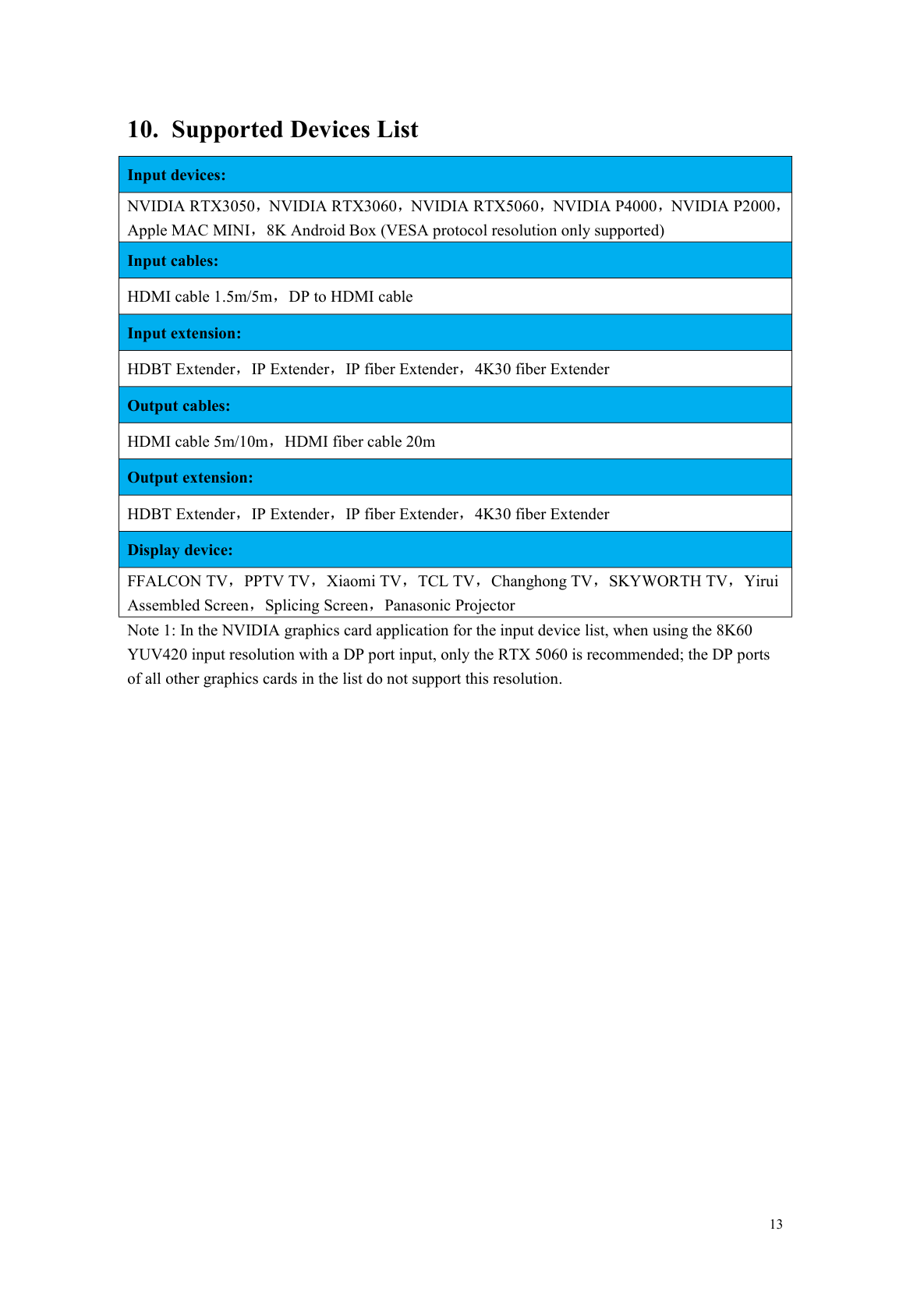
BIT-VWC-8K60Y-115Pro-User Manual-Supported Devices List
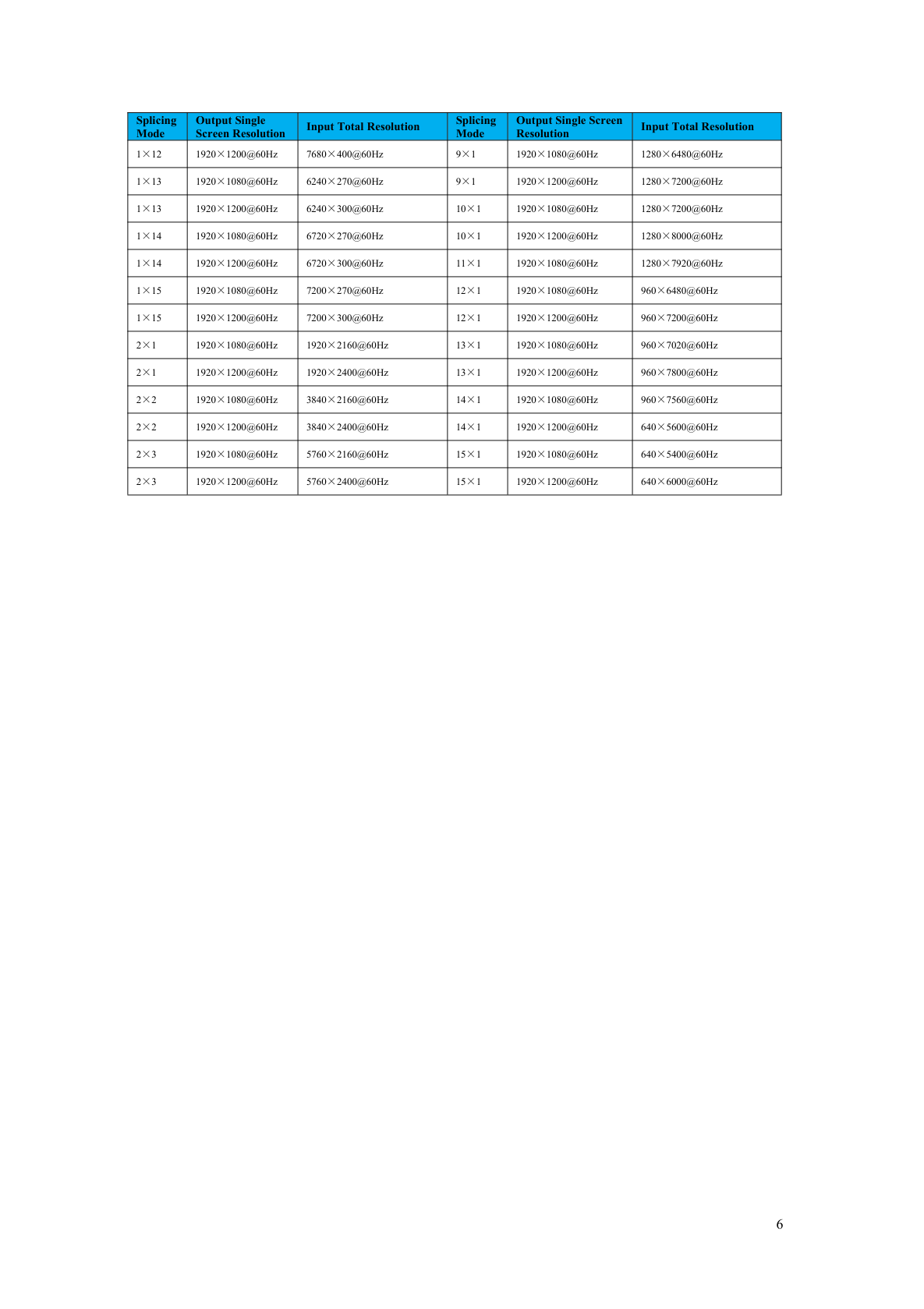
BIT-VWC-8K60Y-115Pro-User Manual-Supported Resolutions and Splicing Modes

BIT-VWC-8K60Y-115Pro-User Manual-Updated Records